
Turnstiles
Build reusable multi-step AI workflows with queueing, branching, loops, and checkpoints
Turnstiles help you run structured workflows across multiple prompts and actions, with full control over flow, retries, and reusable templates.
Open Turnstiles
Open from the action bar
Click the Turnstile icon in a conversation.
Queue from your current prompt
Write a prompt, then click Add to Queue. You can also Alt+Click the Turnstile icon to queue quickly.
Load a saved Turnstile
Use Load Saved Turnstile to bring a saved workflow into the queue.
Entry Types
- Prompt: Standard prompt step with optional model, attachments, toolsets, and Real-Time Data.
- Persona: Run a step using a saved persona.
- Meta actions:
- Continue
- Regenerate
- Context Shield
- Context Shield with Summary
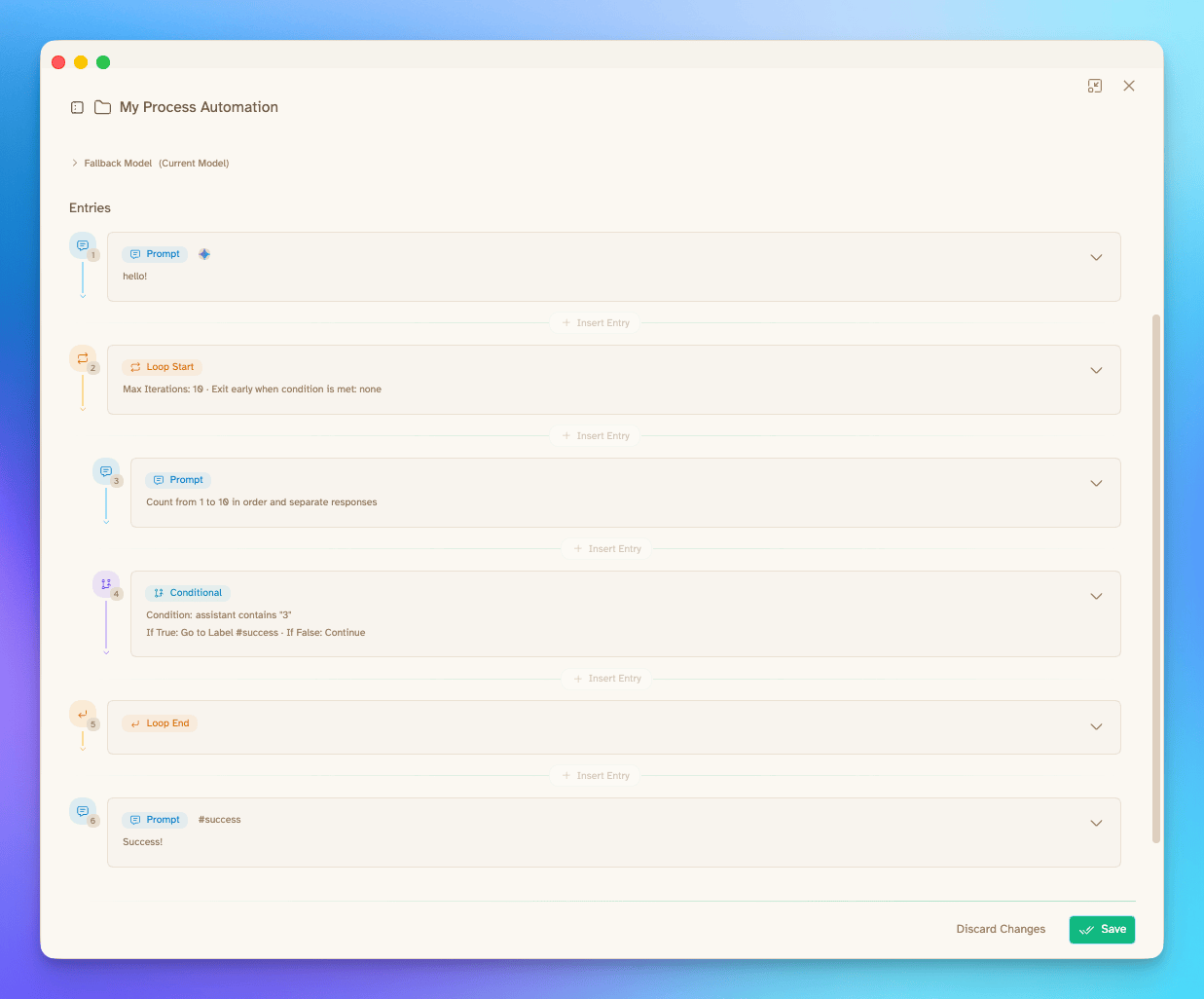
- Conditional: Branch execution based on assistant or user output.
- Loop Start / Loop End: Repeat a block up to max iterations, with optional early exit condition.
- Checkpoint: Pause execution for review, variable input, and manual routing decisions.
Advanced Step Controls
Each step can include advanced controls:
- Label and Note for organization
- Delay (seconds) between steps
- Pause After to force a manual checkpoint
- Send as Assistant (inject text without generating)
Variables and Output Transforms
- Save step output as a variable (for example
summary) and reuse with{{summary}}. - Extract only what you need using transformers:
- JSON Path
- Regex (first match group)
- Slice (
start:end)
- Loop variables are available in prompts:
{{loop.iteration}}{{yourLoopId.iteration}}
Error Handling and Model Fallbacks
- Set a queue-level default error behavior:
- Stop
- Retry Once
- Use Fallback Model
- Override error behavior per step when needed.
- Use default and fallback models to keep workflows portable across environments.
Running the Queue
- Run controls include Run, Pause, Continue, and Stop.
- Use Rounds to repeat the entire queue multiple times.
- Reorder with drag-and-drop, skip/unskip entries, and clear queue when needed.
- Checkpoints support:
- Continue
- Skip next N steps
- Jump to a labeled step
- Abort
- Variable review/edit before continuing
Organizing Saved Turnstiles
- Save, clone, and update turnstiles from the Turnstiles hub.
- Organize turnstiles into folders.
- Set a default folder.
- Move one or many turnstiles between folders (including drag-and-drop).
- Import/export turnstiles as zipped bundles.
Discover Turnstiles
Open the Turnstiles hub and select the Discover tab to browse reusable workflows.
- Search by name or description
- Filter by Available, Installed, or All
- Review a Turnstile's details before installing it
- Install one Turnstile or select multiple Turnstiles for bulk installation
- Monitor bulk-install progress or stop the remaining installation queue
Turnstiles installed from Discover are added to the Misc folder and can be edited like other saved Turnstiles.
Quick Parsing Commands
When queuing directly from chat text, Turnstiles supports separator commands:
--m--Prompt message split--r--Regenerate--c--Continue--cs--Context Shield--css--Context Shield with Summary
Example:
Access Aurum Perk
Turnstiles are available with an Aurum license.