Overview
Get started with Knowledge Stacks in Msty
Knowledge Stacks Next Gen is here!
Check out Knowledge Stacks Next Gen, a major upgrade to how you build and query your knowledge stacks. If you're using the classic Knowledge Stacks, we highly encourage you to switch to Next Gen for a better experience.
Here's what makes Next Gen worth switching to:
- Add projects, chats & web links — You're no longer limited to just files and folders. Drop in entire Msty Studio projects, past conversations, and web links directly into your stack.
- Rerank Model for better results — A new query setting that re-scores and reorders your retrieved chunks using a specialized model, so the most relevant content actually ends up on top.
- File (Single Chunk) chunking — A new chunking method that keeps each item as one whole chunk — perfect for pre-chunked documents or content that shouldn't be split up.
- A cleaner, more intuitive experience — We've polished the UI and made things feel a lot smoother across the board.
Knowledge Stacks are Msty Studio's take on Retrieval-Augmented Generation (RAG), designed to help you create, manage, and use collections of knowledge in a structured, flexible way. They let you organize your data for easy access in conversations, proving models with deep, domain-specific understanding.
Knowledge Stacks are currently available in Msty Studio Desktop only
Key Features of Knowledge Stacks
A few of the key features that make Msty's Knowledge Stacks stand out include:
- Flexible Embedding: You can select and embed using a local embedding model of your choice, allowing you to tailor the knowledge stack to your specific needs
- Chunk Console and Visualizer: With the visualizer, you can view how your documents are chunked and run example queries using the console, making it easier to understand and utilize your data
- Advanced Query Settings: Fine-tune how your knowledge stack responds to queries with customizable settings for relevance, context, and more
- Synthesized Responses: Msty can generate responses based on the knowledge in your stack, allowing for more dynamic and context-aware interactions
- PII (Personal Identifiable Information) Scrubbing: Msty includes ability for identifying and redacting sensitive information in your knowledge stack
Creating your First Knowledge Stack
When creating your Knowledge Stack, think of each stack as a category or topic that you want to explore or utilize in your AI applications. You can add various types of content to your stack, such as files, folders, notes, and YouTube links. However, we recommend that you keep your stack focused on a single topic or theme to maximize its effectiveness.
- Click the Knowledge Stacks icon and select option to create a new stack
- Add a Title and Description for your stack
- Add Files, Folders, Notes, and/or YouTube Links to your stack
- Configure the Compose Settings - view Compose Options for advanced configuration options
- Compose your Knowledge Stack
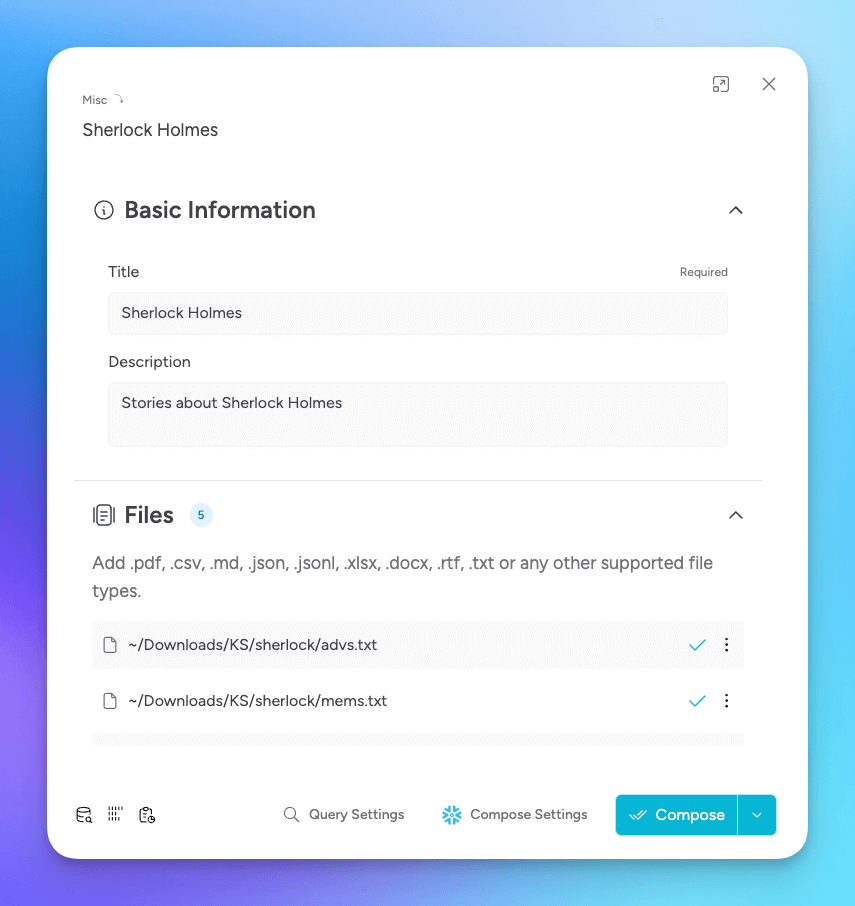
Knowledge Stack is a powerful tool for organizing and utilizing your data and AI effectively. Be sure to explore the other features and settings in this section to get the most out of your Knowledge Stacks.
Using Knowledge Stacks in Conversations
Once you have created and composed your Knowledge Stack, you can use it in your conversations.
- Start or open a conversation in Msty Studio
- Select the Knowledge Stack icon in the conversation toolbar
- Browse Recently Updated or All Stacks, or search by stack title
- Select one or more composed Knowledge Stacks
- Optionally expand Configure to adjust query settings for this conversation
- Start chatting with a model
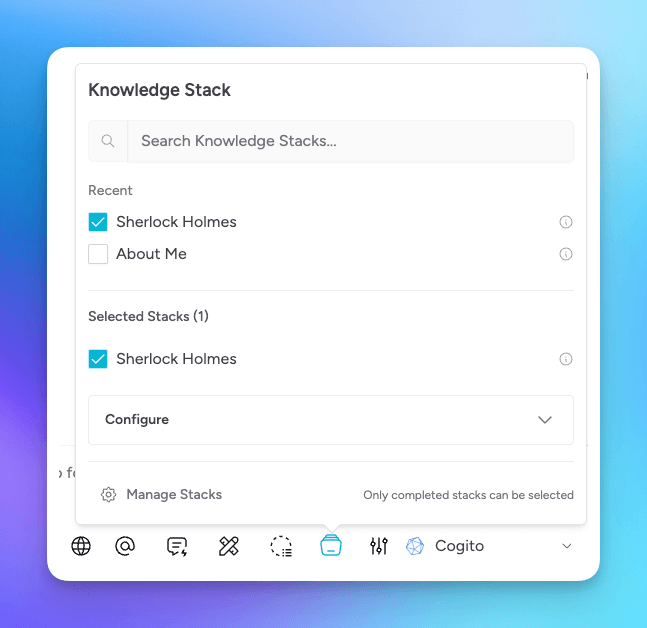
The model will have access to the knowledge in your selected stack, allowing it to provide more informed and context-aware responses.
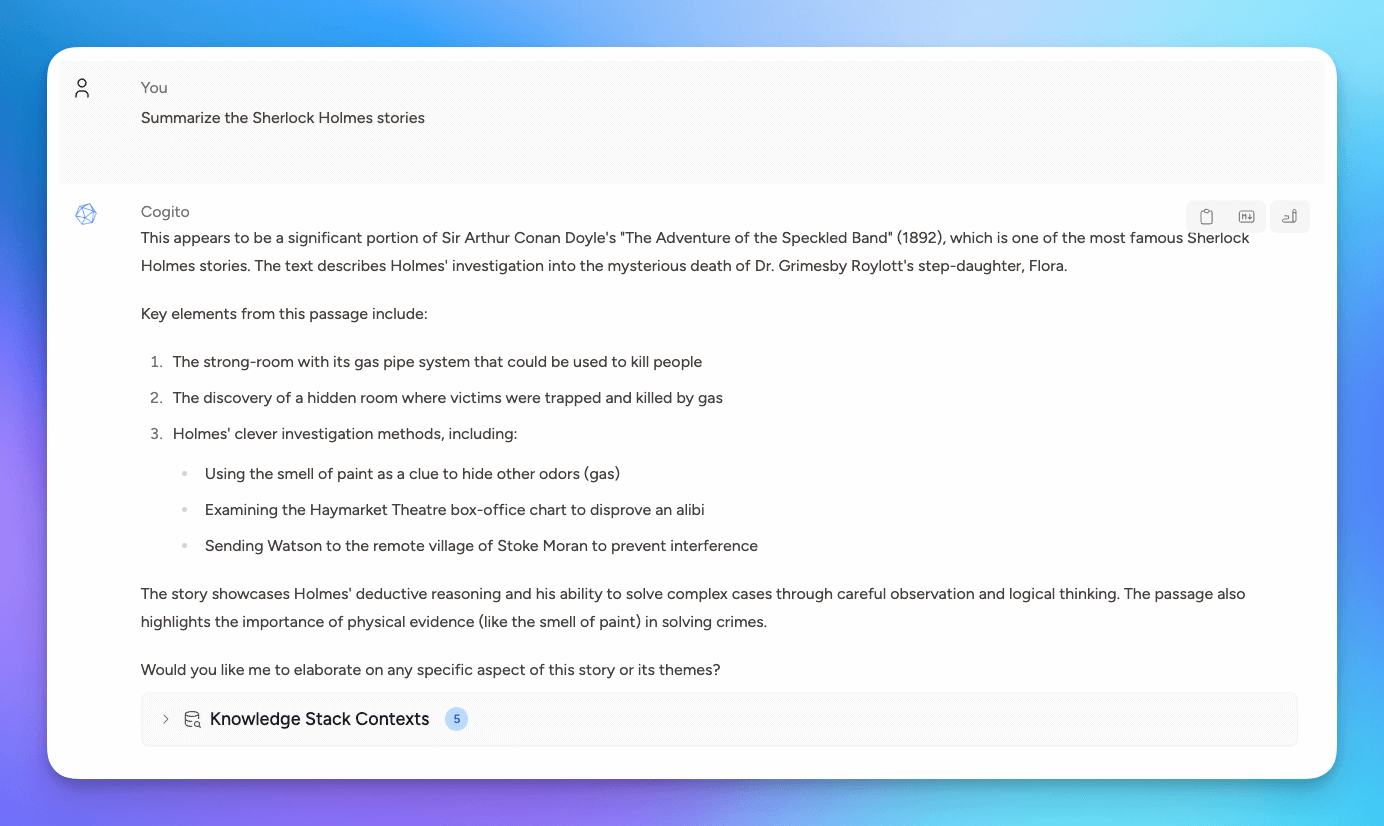
Check out Query Settings for advanced query options that will help you improve search results.
Knowledge Stack Picker
The conversation picker is designed for larger libraries:
- Recently Updated shows up to five recently changed, usable stacks
- All Stacks lists the remaining usable stacks alphabetically
- Search finds stacks by title
- Selected stacks remain visible in a dedicated section
- The most recently selected stack supplies the initial query settings
- Manage Stacks opens the full Knowledge Stacks hub
Only composed stacks with usable content can be selected.
Install Prebuilt Knowledge Stacks
Open Knowledge Stacks Next Gen and select Discover to browse the catalog of prebuilt stacks.
The official Msty Docs stack contains Msty Studio documentation and is a useful starting point for testing Knowledge Stacks without uploading your own files.
You can also install Msty Docs during onboarding by selecting Chat with Msty Studio Docs. Msty imports the stack and creates the Msty Clippy persona with the documentation attached.