
Model Providers
Configure cloud and local model providers in Msty Claw
Providers determine how Claw resolves model calls for chats, agents, playbooks, and tasks. A stable provider setup is the baseline for reliable execution quality.
Open Settings > Model Providers to configure and manage them.
Provider strategy
Most teams use one of these patterns:
- Single-provider baseline for simplicity
- Primary + fallback provider for resilience
- Local provider for privacy-sensitive workflows
Choose one strategy intentionally and document it. Mixing patterns without policy usually creates inconsistent latency, output quality, and failure behavior.
Provider configuration
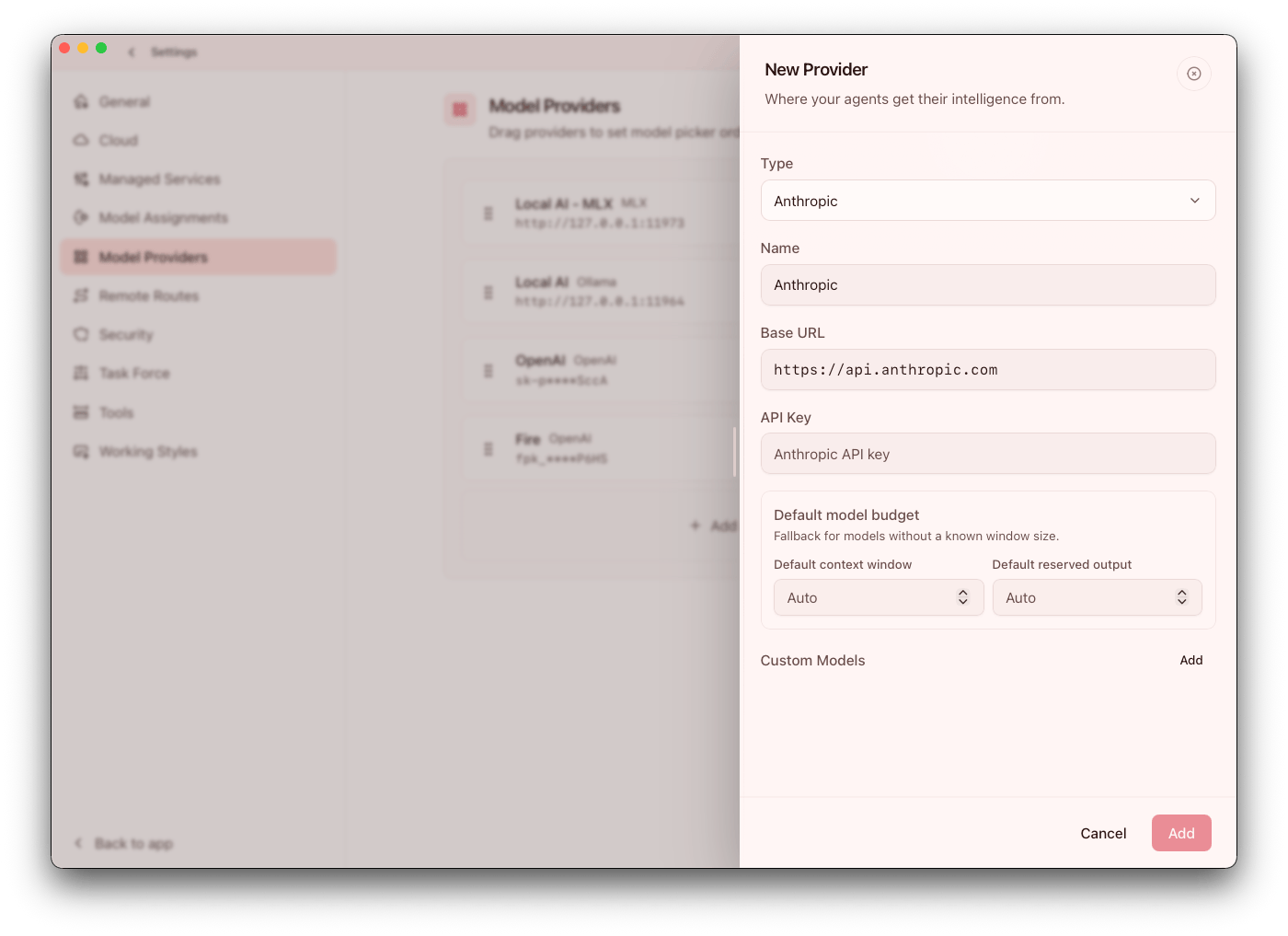
For each provider, configure:
- Type
- Display name
- Base URL
- API key (when required)
- Model list behavior
After setup, run at least one realistic prompt through the provider before assigning it to agents or scheduled automation.
Local vs cloud
- Cloud providers use credentials and remote endpoints
- Local providers use local service endpoints
Guidance:
- Validate local endpoint health before assigning agents
- Test at least one fallback path for critical workflows
The practical tradeoff is control versus convenience: local providers can improve privacy and predictability, while cloud providers can simplify scale and model breadth.
Model catalog and custom models
For non-managed providers, you can add custom model entries manually.
Optional model metadata:
- Context window tokens
- Reserved output tokens
Use metadata to reduce truncation and improve routing predictability. If outputs are getting cut off or costs are drifting, metadata and model selection are the first areas to review.
Managed model downloads
For managed-compatible local providers, Claw can expose in-app model download controls after provider save.
Model assignments
Claw includes per-task model assignment controls in Settings > Model Assignments.
Current assignment targets include:
MemoryContext ScoutContext SummaryConversation TitlesSide Replies (/btw)Pulse
Use this when you want low-cost/faster models for background tasks while keeping stronger models for core chat execution. Separating background and foreground model assignments is one of the simplest ways to improve cost-efficiency without sacrificing core quality. Pulse requires an explicit Pulse model before it can run, because it reads recent work and writes the briefing shown in the Pulse surfaces. Context Scout can use its own assignment for pre-send workspace discovery, then fall back to the active chat model if the assigned provider is unavailable.
Local model discovery and install
For local runtimes, provider setup now includes stronger discovery/install flows:
- Ollama catalog search + direct
name:taginstall input - Hugging Face
author/modeldiscovery for MLX - Hugging Face GGUF repo/file resolution for LLaMA.cpp
Validation behavior was tightened for invalid or incompatible inputs (for example non-GGUF file selection on GGUF runtimes). Treat discovery and install as an operational checkpoint: verify exact model identity, format compatibility, and expected performance before broad rollout.
In-chat model controls
Recent releases added faster model listing/switching controls in chat flows. Use this to recover quickly from model-specific failures during active sessions.
Practical recommendations
- Start with one well-tested default model
- Add specialized models only for clear use cases
- Re-test critical agents after provider/model default changes
When provider defaults change, re-run a representative set of real tasks, not just a single smoke-test prompt.