
Compare models with split chats
Send one prompt to several models or explore separate threads side by side.
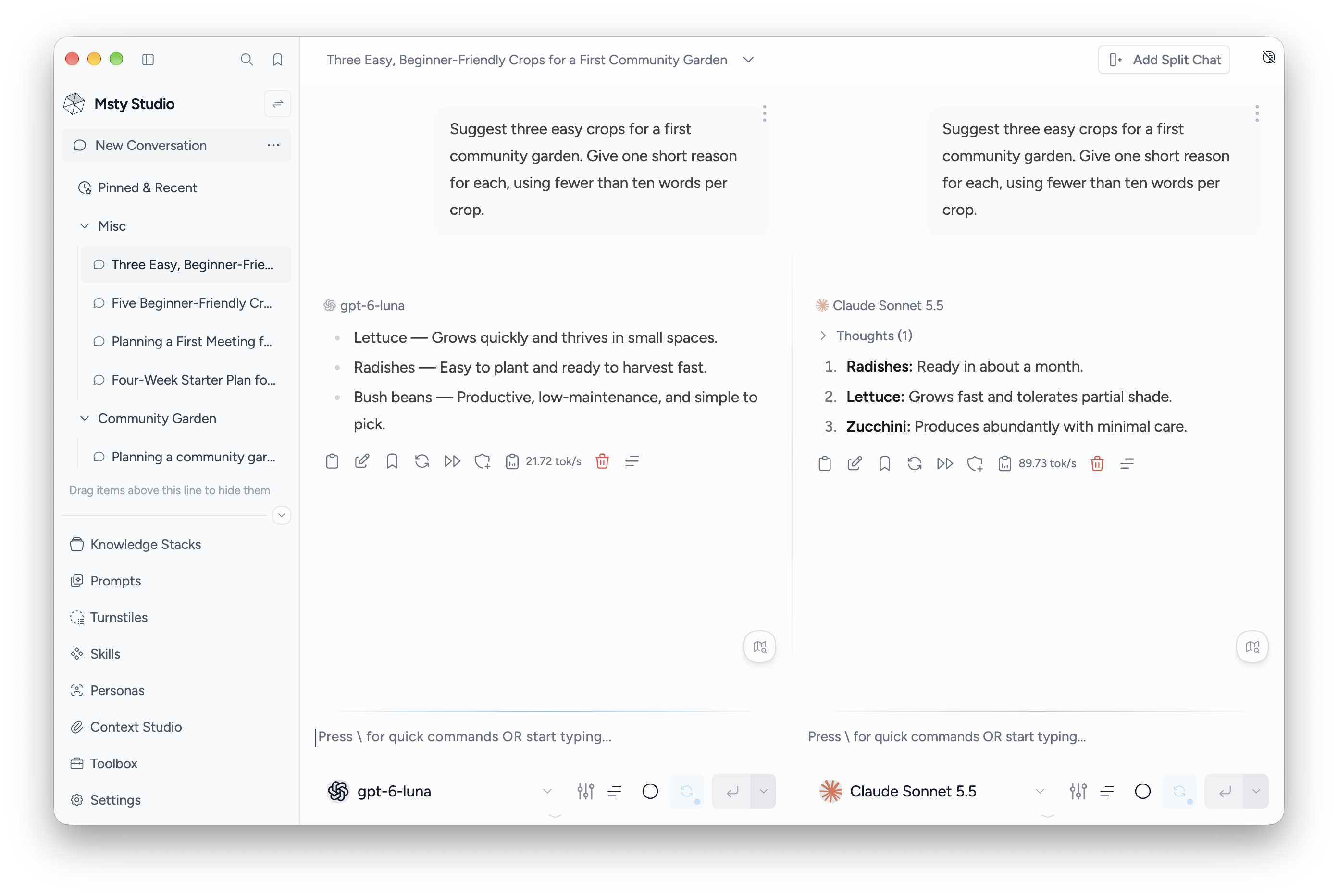
Add a split
- Open a conversation and choose Add Split Chat.
- Select the model for the new split.
- Check Toggle Prompts Sync with Splits beside each split's send controls.
- Send a prompt from a synced split to compare responses from the participating splits.
Turn prompt sync off for a split when you want to ask it something separately. Sync shares prompts; it does not merge the splits' response histories.
Start from an existing message
Open a message's Extra Actions menu:
- Use as prompt in new split carries the associated prompt into another split.
- Clone with Ancestors to New Split copies the conversation up to that message so you can continue from the same context.
These actions are available in supported conversation types. Crew conversations use their own multi-persona response flow.
Manage a split
Open Split Options to find a message, bookmark the split, export its chat, or copy or move it into a new conversation.
Hide Split removes it from the current view. Delete Split removes its data after confirmation. Check which action you selected before confirming.
Use branches when you want alternate replies at the same point in a split instead of another side-by-side chat.