
Find Your Way
The sidebar, new conversation menu, and search.
Sidebar
The upper sidebar holds your conversations and projects. Use the workspace switcher to move between workspaces, and drag the divider to adjust how much space conversations use.
The lower sidebar opens Knowledge Stacks, Prompts, Turnstiles, Skills, Personas, Context Studio, Toolbox, and Settings. Drag sidebar items to reorder or hide them.
Start something new
Select New Conversation for a normal chat. Its adjacent menu also starts a Persona Conversation, Crew Conversation, Agent Session, Forge Canvas, or Media Session.
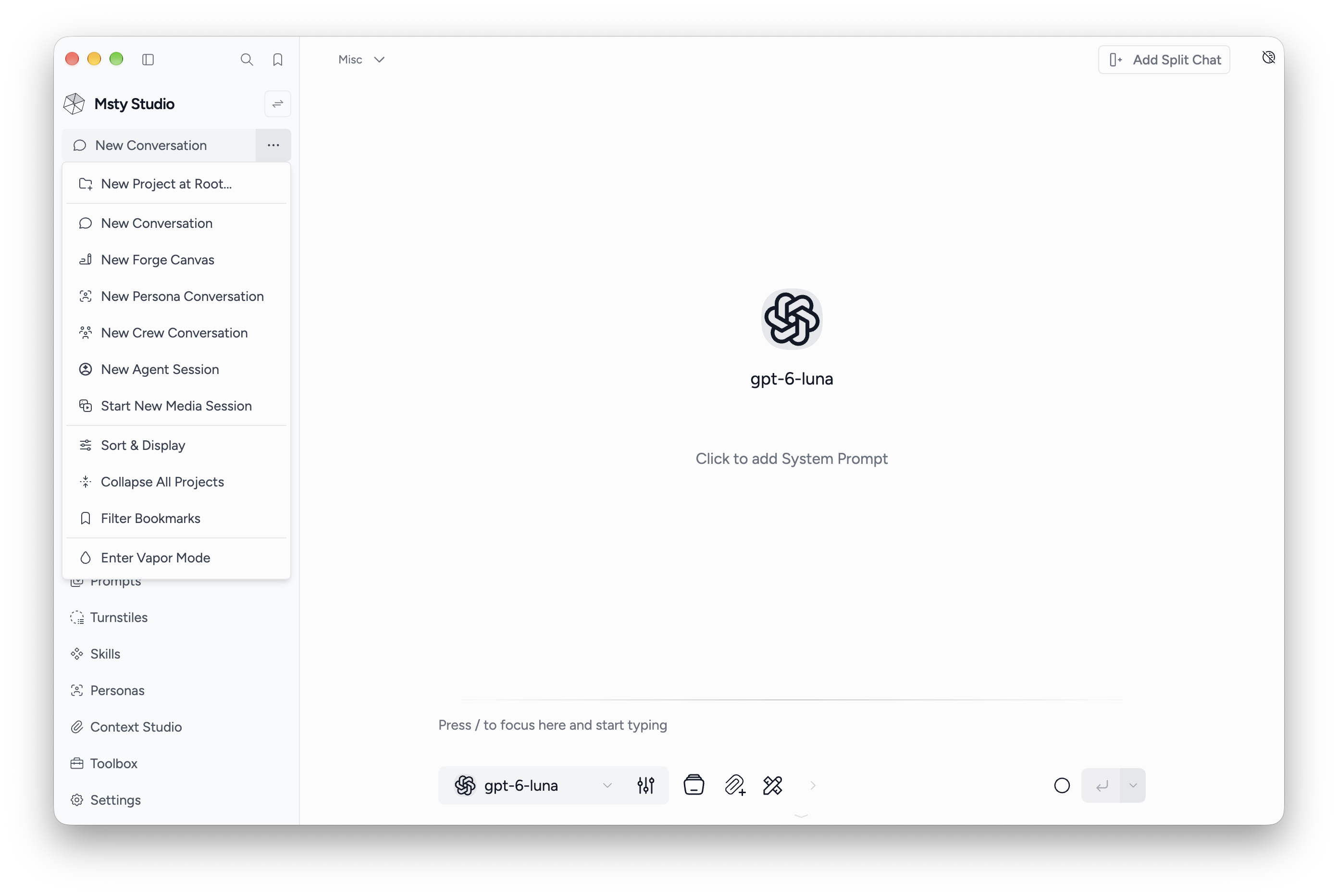
- Normal chat: pick a model and write a message.
- Persona or crew: use saved assistants and shared instructions.
- Agent Session: work through tasks with an installed agent.
- Forge Canvas: start with a canvas-style conversation.
- Media Session: open Media Studio to work with connected image or video models.
Find an action
Use the sidebar search button to open the command palette. Search for conversations, resources, settings, and actions. Manage keyboard bindings in Settings > Keyboard Shortcuts.
Next: conversations, workspaces, or settings.