
Local Models
Discover, install, and manage models running on your computer.
Open Settings > Local Models. The page brings local models together across Ollama, LLaMA.cpp, and MLX.
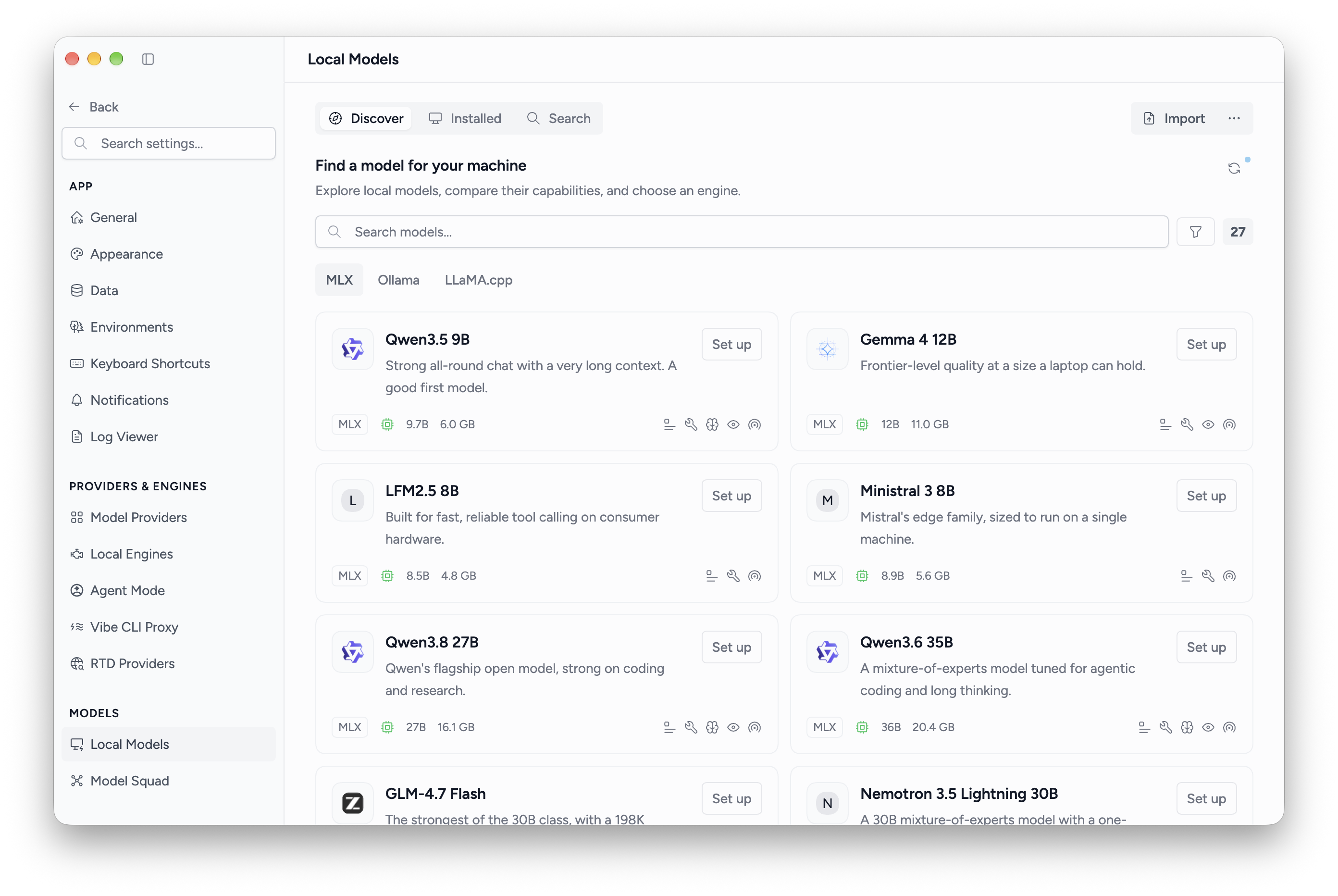
Install a model
- Choose Discover for the catalog, or Search to search Ollama and Hugging Face.
- Select a model and review its available files or variants.
- Choose a compatible engine and select Install.
- If the engine is missing, confirm its setup first. Msty installs the engine before downloading the model.
- Wait for the model to be ready, then select it in a conversation.
MLX models require an Apple Silicon Mac. The available engines, files, and recommendations depend on your device and the selected model.
Follow downloads
Active downloads show their stage and progress. Use the available pause, resume, or cancel controls for that download. A model is ready for use after installation completes.
Manage installed models
Choose Installed, then select a model to inspect its details and available settings. Search and engine filters help narrow the list.
Removing a model uninstalls its local files; it does not remove the whole engine. Msty asks for confirmation before removal. Holding Shift while using the remove action skips that confirmation.
For existing files, see Import Models. For services managed outside Msty, see External Model Servers.