
Msty Studio 3.x · Desktop guide
Online Providers
Connect an API provider and choose the models available in Msty Studio.
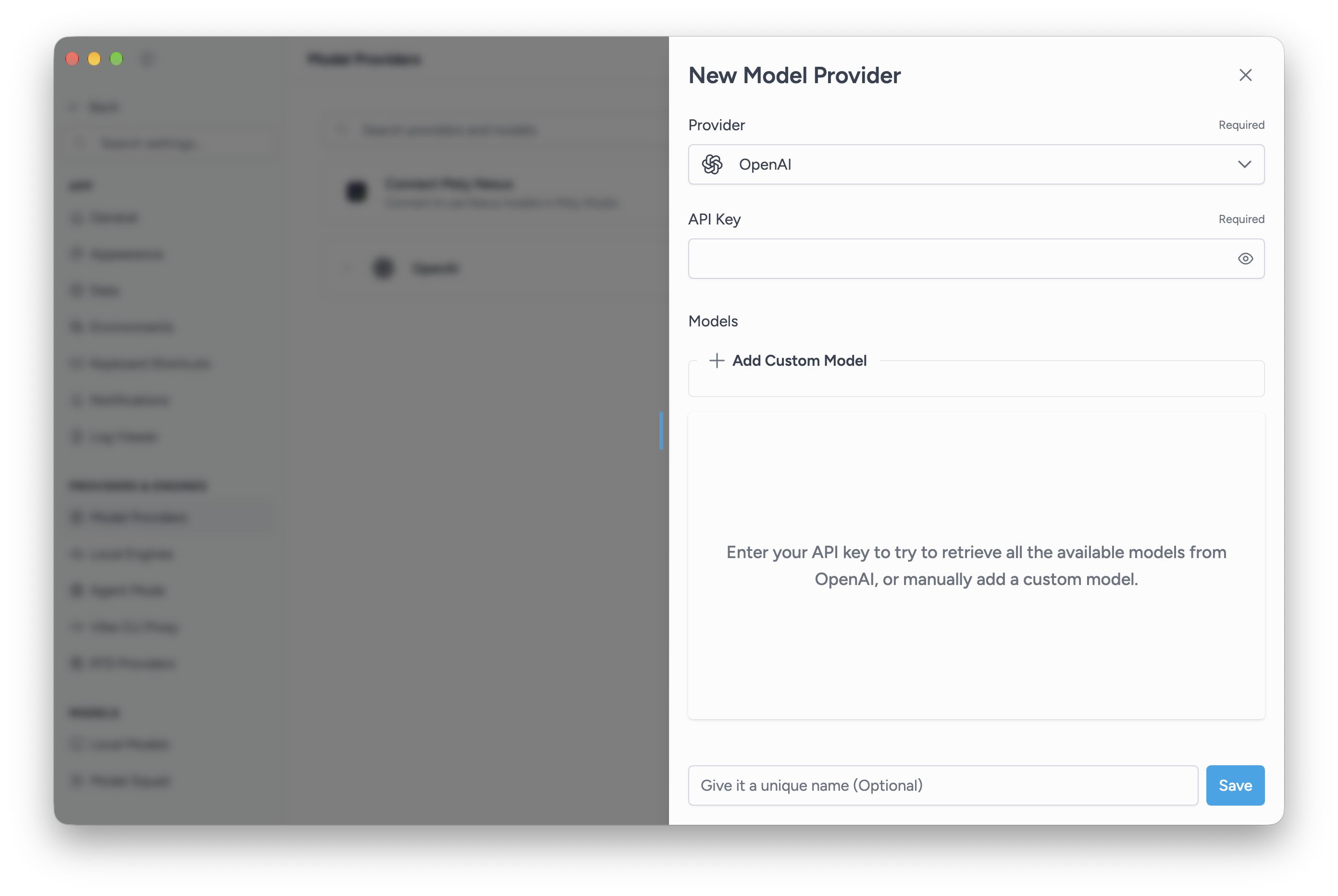
Add a provider
- Open Settings > Model Providers and choose Add Provider.
- Select your provider.
- Enter the credentials and endpoint details requested by that provider.
- Choose Fetch Models when available, then select the models you want to use. You can also choose Add Custom Model and enter its model ID.
- Optionally give the connection a name, then choose Save.
- Open a conversation and select one of the added models.
API access and billing are managed by the provider. An Msty license does not supply a provider API key or include its usage charges.
Provider-specific details
- Azure OpenAI: enter the deployment name as a custom model. Msty cannot fetch Azure deployment names.
- Amazon Bedrock: choose the authentication method and enter the required region and credentials.
- OpenAI-compatible providers: enter the inference endpoint required by that service. Many use a base URL ending in
/v1.
Some provider types and options require Aurum. The app marks restricted choices.
Manage a connection
Return to Model Providers to update credentials, change the selected models, or refresh the provider list. Show in Model Selector controls whether that provider appears when choosing models.
Providers belong to workspaces. The provider form can copy or sync a connection to other workspaces.