
Audit
Audit shows who changed what in Nexus, and when. It records changes to machines, teams, policies, access, sharing and lobby walls, on any plan.
Open Fleet → Audit. Owners and admins see the whole organization. A team manager sees only the teams they manage. From a team page, View audit opens the same list, already filtered to that team.
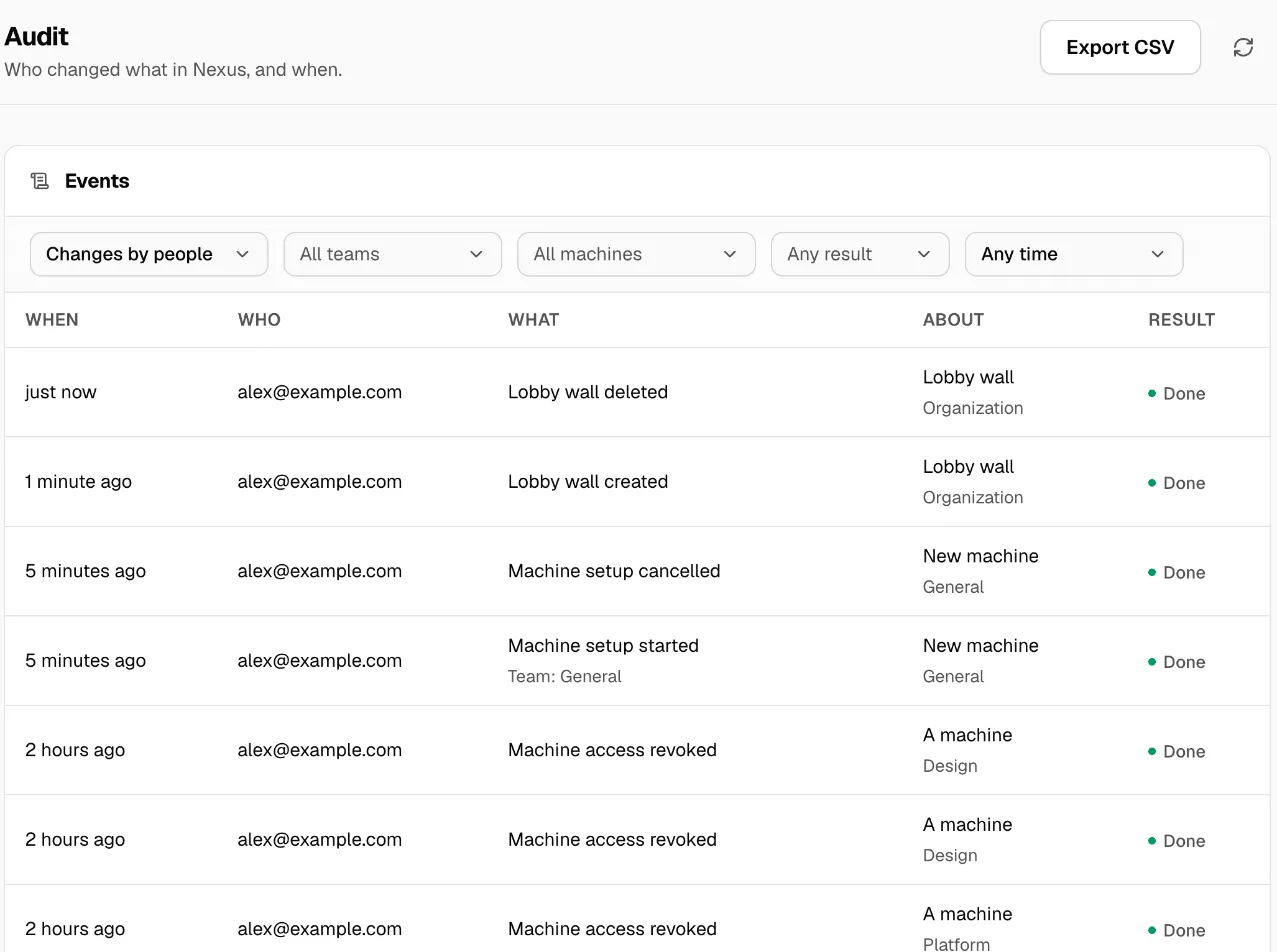
Read the list
Section titled “Read the list”Each event shows:
- When it happened.
- Who made the change.
- What changed, such as “Machine setup started”, “Shared machine opened to a team” or “Lobby wall deleted”.
- About: the machine, team or wall it changed, and its team.
- Result: Done, or Refused when Nexus turned the change down.
Click an event to see its details, such as the team, type, person or access before and after.
Filter and export
Section titled “Filter and export”At the top of Events:
- Show: Changes by people, Automatic events, or Everything.
- All teams and All machines.
- Any result: only changes that were Done or Refused.
- Any time: today, the last 7, 30 or 90 days, or a Custom range….
Show older events loads more. Export CSV downloads what you filtered.
What’s in it, and what isn’t
Section titled “What’s in it, and what isn’t”An event is recorded with the team it belonged to at the time. Moving a machine to another team later doesn’t change its older events.
The audit explains who changed settings and when. It never holds provider keys, API keys, prompts, replies or tool inputs.
For requests that Nexus refused, such as a wrong key, see the Log tab in Monitor. For one machine’s own activity, see Activity.
If something goes wrong
Section titled “If something goes wrong”| What you see | What to do |
|---|---|
| The audit could not be loaded | Retry. Check your connection to Nexus. |
| A team manager misses older events | Changes from before team records began show only to owners and admins. |
| An event you expect is missing | Set Show to Everything and widen the time range. |