
Keep sensitive requests on a local model
Pro
You’ll get: one model name for your apps. Everyday requests go wherever the route sends them, even an online model. A request with personal details, such as a name, an email address or a card number, goes to a model on your own machine instead.
You need:
- Data Protection turned on for the machine.
- A Smart Route.
- A local model or pool you trust with sensitive work.
- Open Smart Routes → Routes and click Edit on your route.
- On the Data Protection row, click Set up, or Edit if it has checks already.
- Under Which requests get checked?, tick every path that can go to an online model. Tick the Default fallback too.
- Under When sensitive data is found, pick Send through a sensitive data route.
- Pick the Sensitive data route: your local model or pool.
- Choose what The sensitive data route receives: the cleaned request, or the original. The original is fine when the target is local and you trust it.
- Under If the sensitive data route is unavailable, pick what happens. Blocking is the safe choice.
- Click Done, then Save changes.
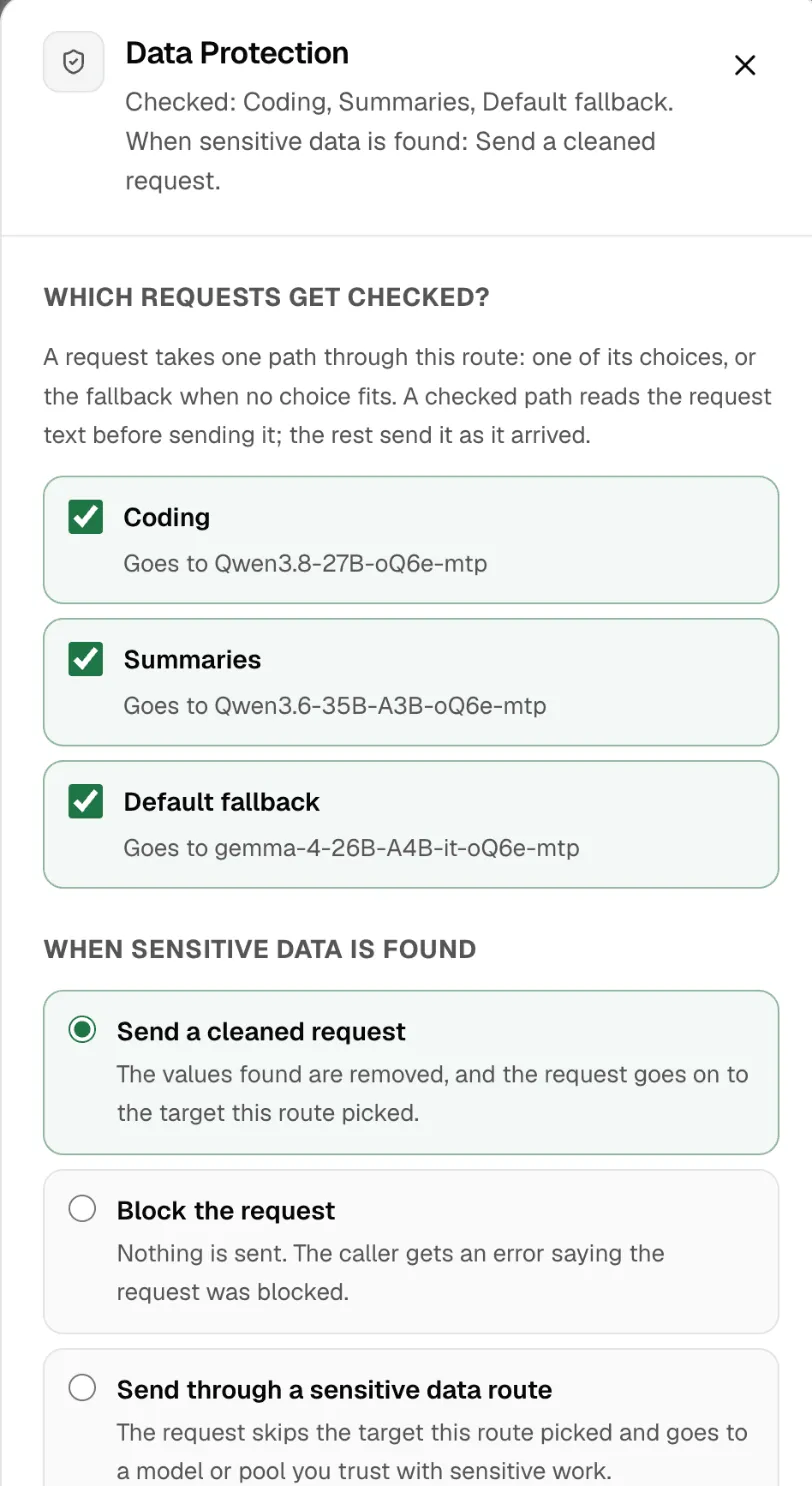
The route now shows All paths protected, or how many of its paths are.
Check it worked
Section titled “Check it worked”- Click Try in chat on the route.
- Send a message with a made-up name and email address, such as “Email dana@northstar.example about Friday.”
- Under the reply, Routed to names your local model.
Open Data Protection to see the count of what it found. Nexus never stores the text itself.
Only the request text is checked: messages, system text, tool inputs and prompt variables. Images, audio and files are not. More in Data Protection on Smart Routes.