
Know before you hit a subscription limit
You’ll get: how much is left on each AI plan, and when it resets, on one page. An alert when quota drops below 20%, or when you’re likely to run out before the reset.
You need:
- A subscription connected in Providers → Subscriptions, or a Claude or Codex sign-in already on this machine.
- Open Gauge and click Turn on Gauge.
- Open the Accounts tab. Subscriptions from Providers are there already. Click Find accounts to add the Claude and Codex sign-ins on this machine. Use Add account for others.
- Open the Overview tab. Each account shows its quota windows, how much is left, such as 64% left, and when it Resets.
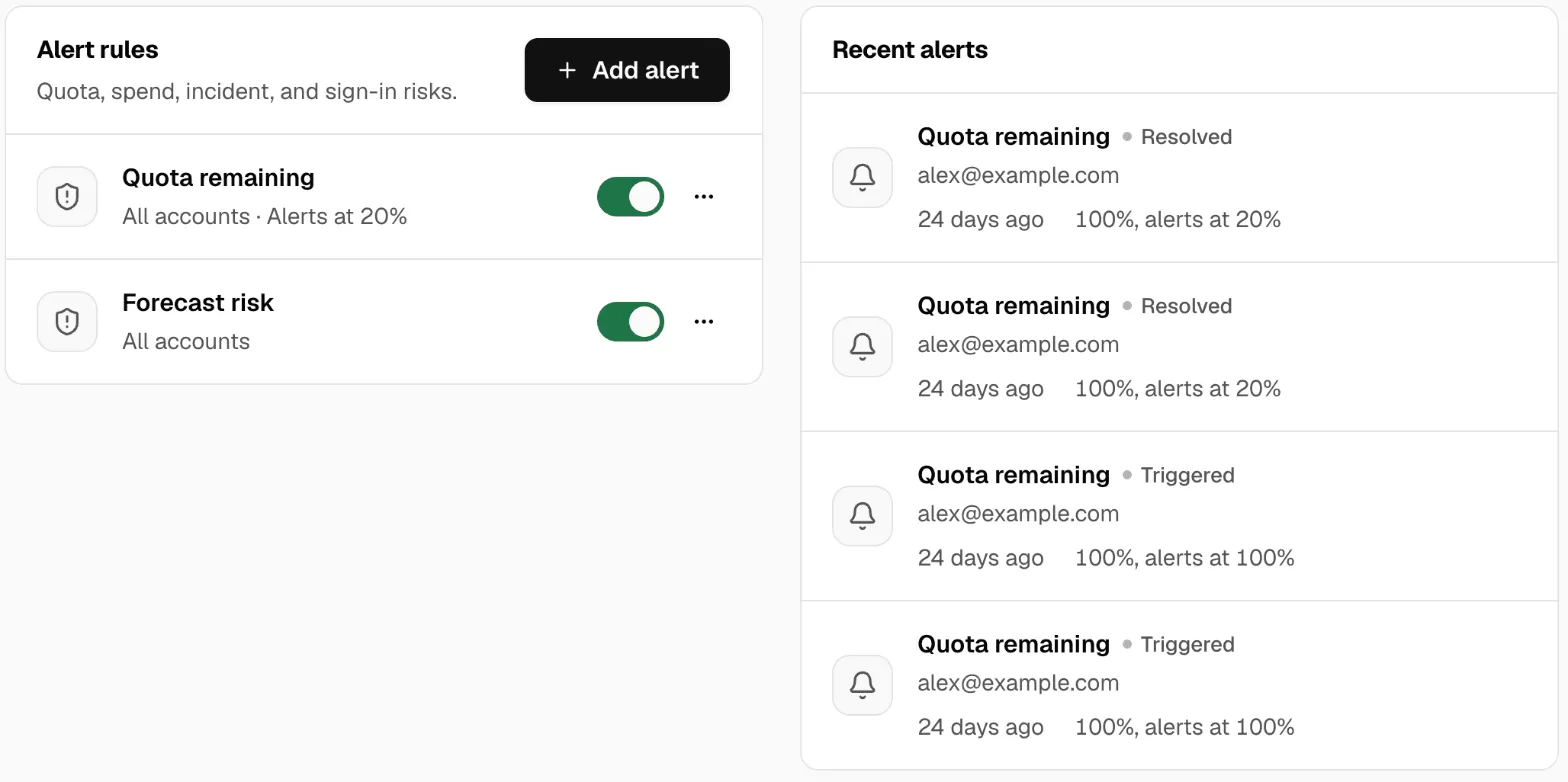
- Open the Alerts tab and click Add alert.
- Set Trigger to Quota remaining and Threshold to 20. Click Create.
- Click Add alert again. Set Trigger to Forecast risk and click Create. This alert goes off when you’re likely to run out before the reset.
- Optional: add a Sign-in alert, so you know when a sign-in stops working.
Gauge checks your accounts about every 5 minutes. An alert can come a few minutes after the change.
Where alerts show
Section titled “Where alerts show”- Under Recent alerts on the Alerts tab, with the value that set it off, such as 18%, alerts at 20%.
- On the Gauge item in the Console’s left rail, as a count of active alerts.
- In the desktop app, as a system notification: Gauge needs your attention, then Gauge is back on track when it clears. To stop these, turn on Quiet desktop notifications in Settings → Machine → Diagnostics and privacy.
Check it worked
Section titled “Check it worked”- Add a Quota remaining alert with Threshold 100. Every account with a quota window is at or below 100%.
- Wait up to 5 minutes. The alert shows under Recent alerts, and the Gauge item shows a count.
- Delete that alert from its menu.
Good to know
Section titled “Good to know”- Gauge reads only the accounts you add. It never reads prompts, replies or credentials.
- An alert only tells you. It doesn’t stop requests or switch accounts.
- For an account billed by spend, Add budget on the Alerts tab warns before one project passes a Daily or Monthly limit. Nothing is blocked.
When a plan hits its limit, its models show Paused until in Providers → Subscriptions, and Nexus tries again after that time. More in Gauge.