
Try a new model on some chats
Pro
You’ll get: a new model tried on, say, 10% of chats. Everyone else keeps the current model. Each chat stays with the same model from start to end.
You need:
- A Smart Route your apps already use.
- The new model, ready in Models.
- Open Smart Routes → Routes and click Edit on your route.
- Under Rules, click Add rule.
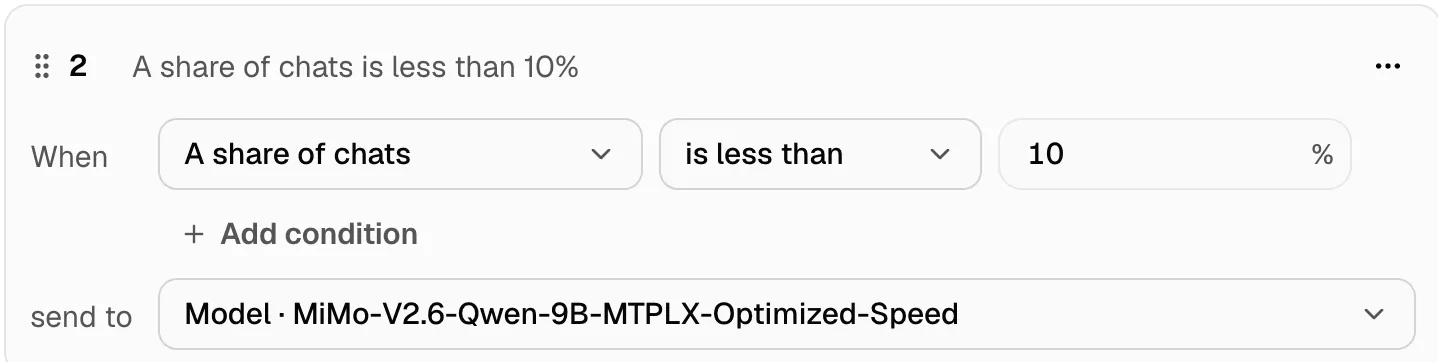
- Under When, pick A share of chats, then is less than 10.
- Under send to, pick the new model.
- Drag the rule above broader rules, so it’s checked first. The first rule that matches wins.
- Click Save changes.
A share of chats is a number from 0 to 100 that stays the same for a chat. “Less than 10” picks about 1 chat in 10, and keeps each one on the same model.
Compare the two
Section titled “Compare the two”After a day or two of real traffic:
- Usage → Models: requests, tokens, speed and cost for each model.
- Smart Routes → Live: click Decided by a rule to see only the chats your rule sent.
- Benchmarks: run the same Quick Check on both models for a fair speed test.
Happy with it? Make the new model the target of the routing choice, and delete the rule. Not happy? Delete the rule. Chats go back to the router at once.
More in Rules.