
Share one model across two Macs
Pro
You’ll get: one model name, @pool/qwen-27b, that your apps call. Behind it, the same local model runs on 2 Macs, MS1 and MM1. Nexus sends each request to the Mac that can answer it soonest. When you restart one Mac, requests go to the other.
You need:
- 2 Macs running Nexus, both in your fleet. Set up the pool on MS1.
- A local model on MS1, such as a Qwen coding model.
- A Nexus API key from Connections for your app.
- On MS1, open Smart Balancer → Nodes and click Add node.
- Next to MM1, click Add.
- Put the same model on MM1. Either copy it from MS1, or open Deployments, click New deployment, pick MM1 and the model, and click Deploy model.
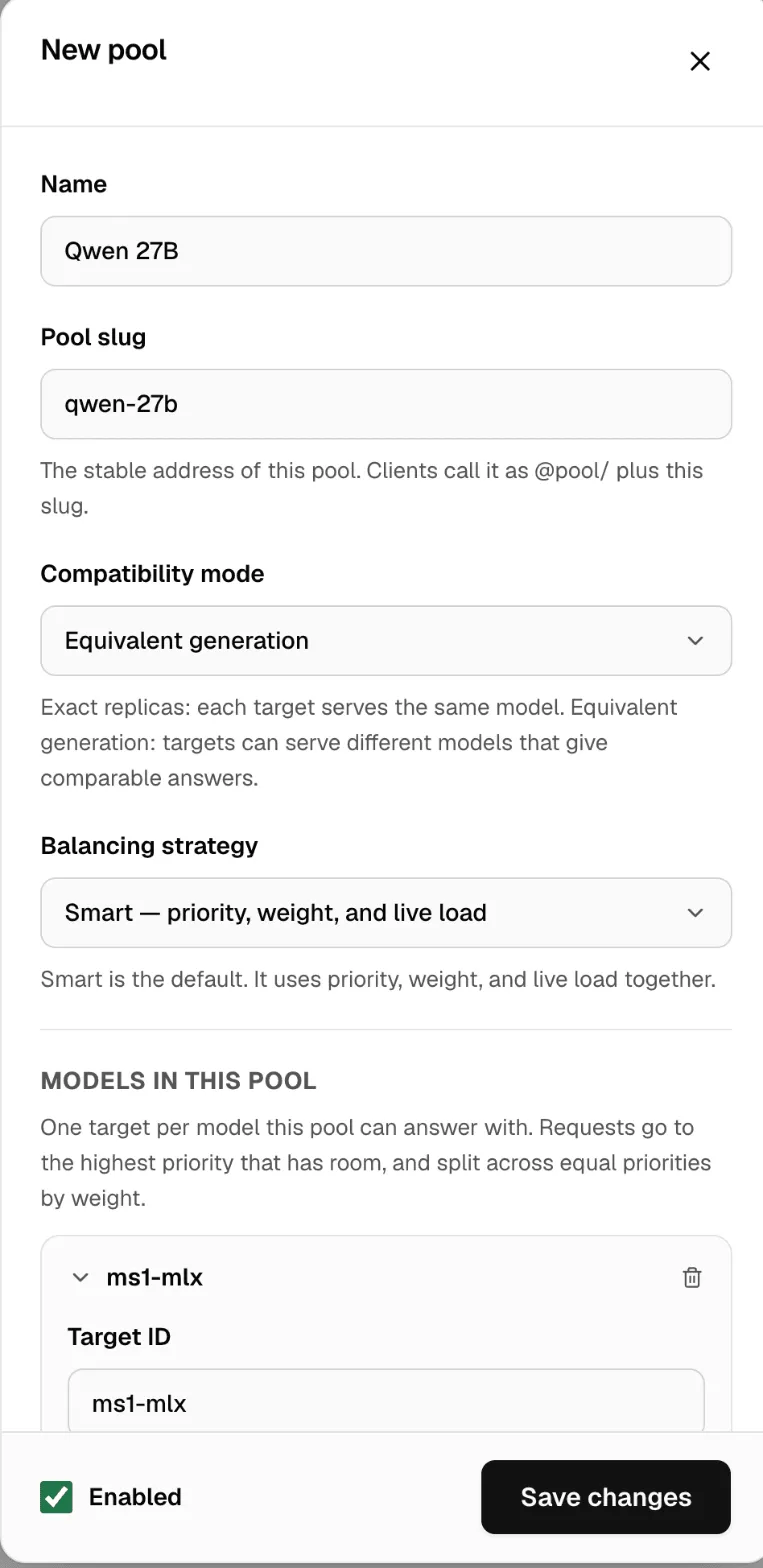
- Open Pools and click New pool.
- Enter the Name “Qwen 27B” and the Pool slug
qwen-27b. - Set Compatibility mode to Exact replicas.
- Click Add target. Pick Machine MS1 and your model.
- Click Add target again. Pick Machine MM1 and the same model.
- Click Save changes.
If the Macs run different files of the model, such as MLX on MS1 and a GGUF file on MM1, pick Equivalent generation instead.
If Nexus asks Same model on every machine?, confirm only if both Macs have the same files, as after a copy or a deployment.
Now point your app at the pool, on MS1’s address:
curl http://127.0.0.1:3939/v1/chat/completions \ -H "Authorization: Bearer msty_nexus_key_here" \ -H "Content-Type: application/json" \ -d '{"model": "@pool/qwen-27b", "messages": [{"role": "user", "content": "Say hello."}]}'Change the key to yours. An app on another computer uses MS1’s network address instead of 127.0.0.1.
Check it worked
Section titled “Check it worked”- On Pools, open the pool’s menu (…) and click Failure drill.
- Nexus sends test requests, pauses one Mac, then brings it back. Each step, Before, One machine down and After recovery, shows how many requests were served.
- Open Request history. Each request names the Mac that answered it.
To do it by hand: on Nodes, open MM1’s menu (…) and click Pause. Live status shows Paused — safe to restart. Send the curl again: it still gets a reply, and Request history shows MS1 answered. Click Resume when you’re done.
Pause a Mac on Nodes before you restart it or change its model. More in Smart Balancer.