
Pair Msty Sail with Nexus
You’ll get: Msty Sail using your Nexus models, web search and tools, with its own credential that renews by itself. Usage and cost show up per app in Nexus.
You need:
- Admin access in Sail, and owner or admin access in Nexus.
- Sail able to reach the Nexus machine’s address. Nexus never needs to reach Sail.
- In Sail, go to Admin → Nexus and click Pair with Nexus. Enter the Nexus address. Sail shows a code, such as
K7QM-4ZP2. - In Nexus, switch to that machine and open Connected apps.
- Under Waiting for approval, find Msty Sail. Check that the Code matches the one Sail shows.
- Check what it asks for: models, web search, tools.
- Click Approve.

Sail’s page updates by itself and says it’s paired.
Check it worked
Section titled “Check it worked”Connected apps lists Sail as Online, with when it was last seen, what it can use, and its requests and cost over 30 days.
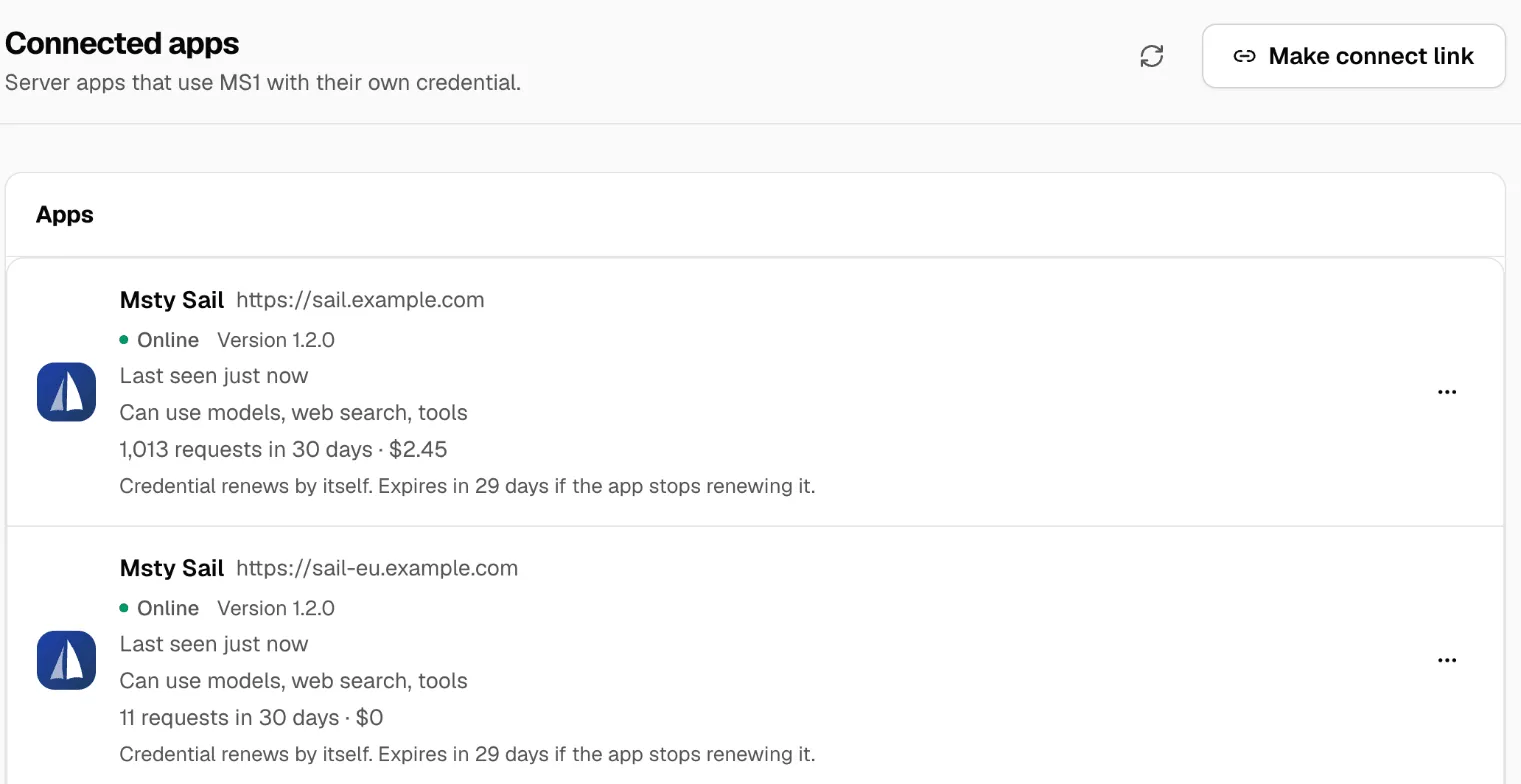
To stop Sail, open its menu (…) and click Revoke. Full steps on the Sail side are in the Sail docs. More in Connected apps.