
Ask before a tool does anything risky
Pro
You’ll get: an app that reads files freely, but can’t write a file until you approve that call in the Console. It can’t move files at all. Each rule applies to one API key, so other apps keep their own rules.
You need:
- An integration in Tools Gateway, such as a “Files” MCP server with tools that read, write and move files. See Use one tools address in every app.
- The app’s API key from Connections.
- Open Connections → Client API keys, open the app’s key menu (…) and click Edit.
- Under What this key can use, pick Only what I choose.
- Under Tool access, pick Custom.
- On the Files row, pick Allow. Every Files tool can now run.
- Click Files to show its tools.
- On
write_file, pick Admin approves. - On
move_file, pick Block. - To cap a tool, enter a number in its /h box, such as 20. Leave it empty for no limit.
- Click Save changes.
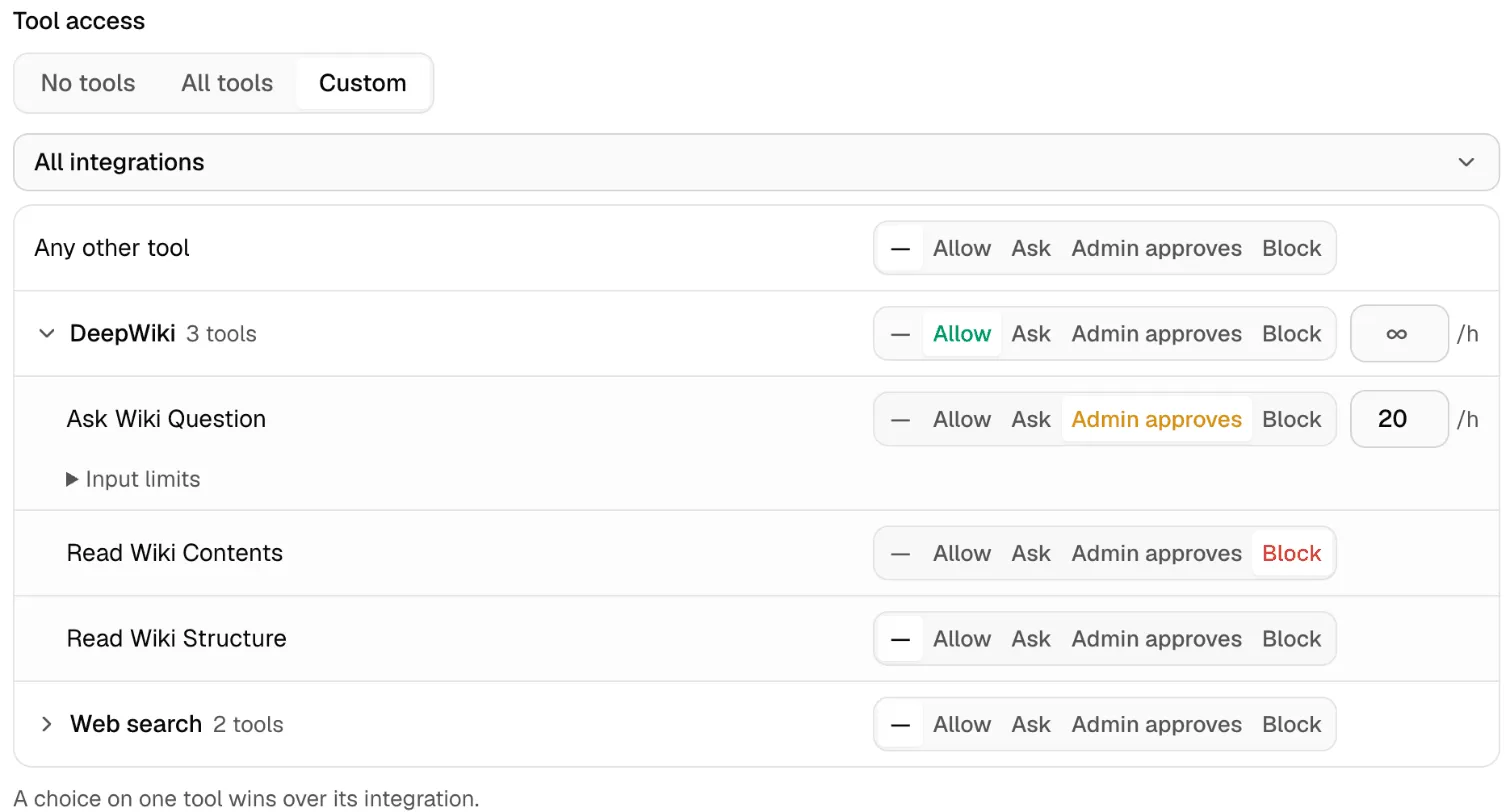
The picture shows the same rules on a DeepWiki integration.
A rule on one tool wins over its integration. A tool with no rule, here and under Any other tool, can’t run.
| Rule | What happens |
|---|---|
| Allow | The tool runs. |
| Ask | The app asks you before each call. |
| Admin approves | The call waits until someone approves it in the Console. |
| Block | The tool can’t run. |
Check it worked
Section titled “Check it worked”- In the app, ask it to save a short note to a new file.
- Open Tools Gateway → Approvals. Under Pending approvals, the
write_filecall shows with its inputs. - Check the inputs and click Approve. The app gets the result and the file appears.
- Look at the app’s tool list.
move_fileisn’t there: apps don’t see blocked tools. - Open Tools Gateway → Activity. The
write_filecall shows as Succeeded.

Ask needs an app that can show MCP approval prompts. An app that can’t won’t see tools set to Ask. Use Admin approves for those apps.
Nexus follows your rules. It doesn’t judge whether a call is risky, so set a rule on every tool that can change or delete things. To share the same rules across many keys, use a tool profile. More in Tools Gateway.