
Send long prompts to a big-context model
Pro
You’ll get: short requests keep going to your fast everyday models. A request that’s too long for them, such as a whole document, goes straight to a model that can hold it.
You need:
- A Smart Route.
- A model with a large context window, local or online.
- Open Smart Routes → Routes and click Edit on your route.
- Under Rules, click Long prompts to the fallback. Nexus adds a rule: Prompt size is at least 24,000 tokens.
- Change the number to suit your everyday models. Use a bit less than their context size.
- Under send to, pick the big-context model. Or leave Fallback if your fallback is that model.
- Click Save changes.
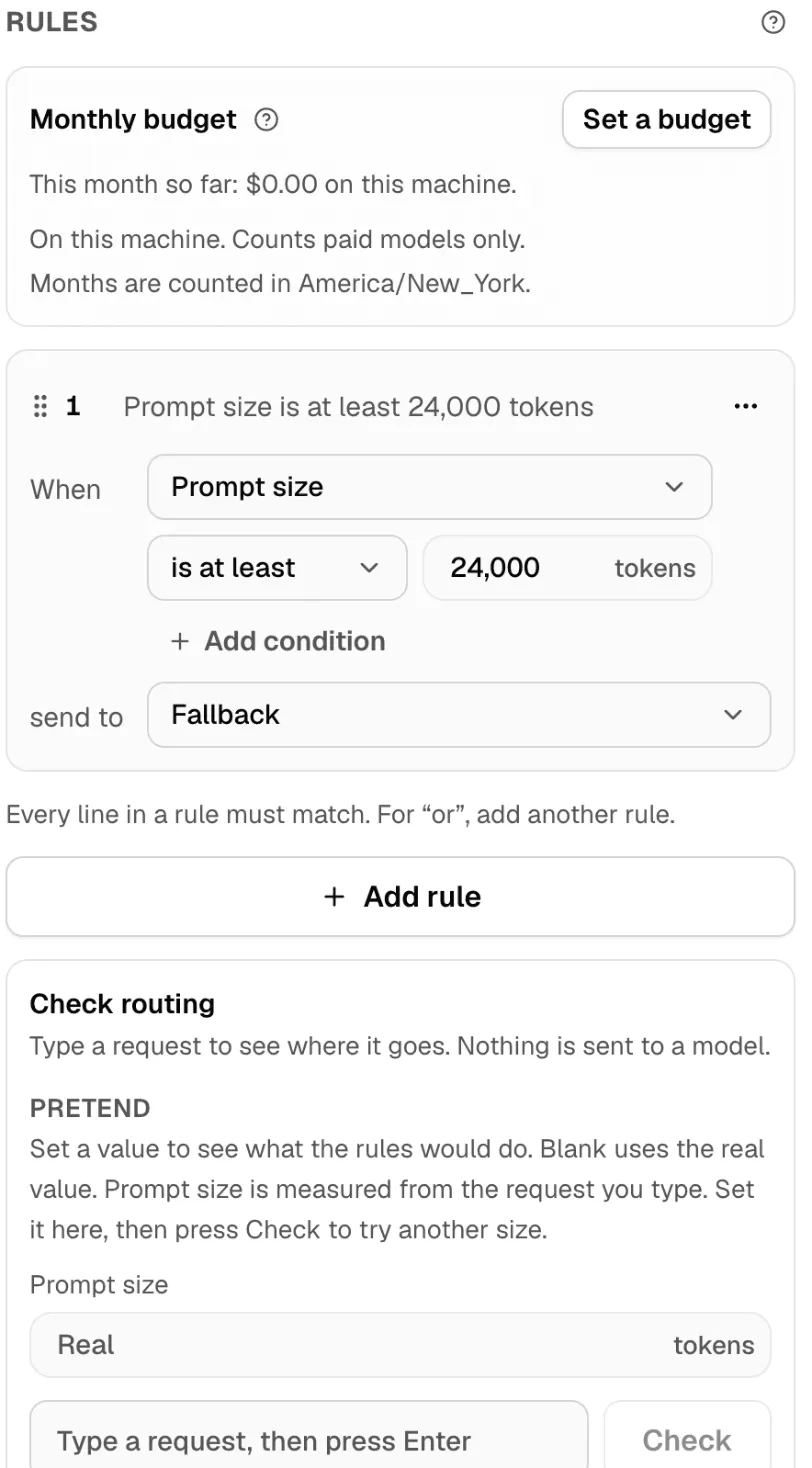
Rules run before the router, and the first rule that matches wins. A chat that a rule sends somewhere stays there.
Check it worked
Section titled “Check it worked”- In the route editor, under Check routing, set Prompt size to a number above your limit.
- Type a short request and press Enter.
Nexus shows that your rule decided, and where the request would go. Nothing is sent to a model.
Then send real traffic and open Smart Routes → Live: requests your rule decided are marked Decided by a rule.
More rules, such as images, tools, time of day or a key’s labels, are in Rules.