
Sort support tickets with a local model
You’ll get: one model name, @preset/ticket-sorter, that your help desk calls with each new ticket. It answers with a fixed team, Billing, Technical or Sales, and how sure it is. A local model does the work, so tickets never leave your machine. Unsure answers come back marked for a person to check.
You need:
- A local decision model, such as Clef-flash. In Models → Decisions, click Set up, then Make default. See Decision models.
- A Nexus API key from Connections.
- Open Presets and click New preset.
- Pick Decision preset, then Support triage.
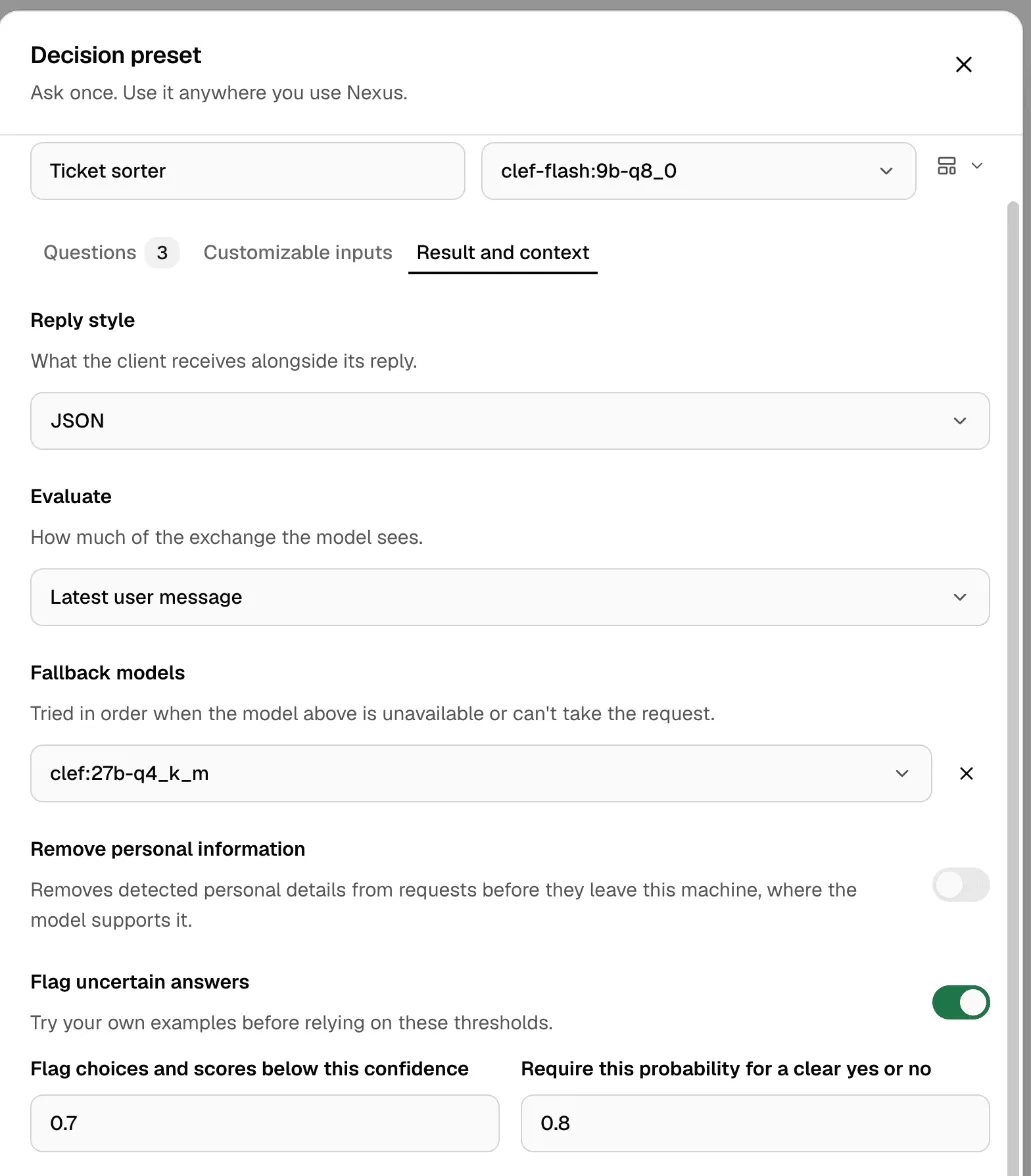
- Enter the Preset name “Ticket sorter”. Check that Decision model is your local model.
- Under Questions, keep Team. Change its Choices to your own teams if you like. To drop Urgency and Refund requested, click the trash icon on each.
- Open Result and context. Set Reply style to JSON.
- Under Fallback models, click Add fallback and pick a second decision model. Nexus tries it when the first one is down, loading or failing.
- Turn on Flag uncertain answers. Keep Flag choices and scores below this confidence at 0.7.
- Click Try it, paste a ticket into Text to evaluate and click Run example.
- Click Save preset. Nexus shows the name to call:
@preset/ticket-sorter.
Call it from your app
Section titled “Call it from your app”The reply text is a JSON object. Read the team from answers, and check needs_review:
import jsonfrom openai import OpenAI
client = OpenAI(base_url="http://127.0.0.1:3939/v1", api_key="msty_nexus_key_here")
ticket = "I was charged twice for my March invoice. Please refund one payment."reply = client.chat.completions.create(    model="@preset/ticket-sorter",    messages=[{"role": "user", "content": ticket}],)result = json.loads(reply.choices[0].message.content)team = result["answers"]["team"]["choice"]unsure = result.get("needs_review", {}).get("team", False)print(team, "(needs review)" if unsure else "")
Change the key to yours. The key under answers is the question’s Result name, here team.
Check it worked
Section titled “Check it worked”- Run the script. It prints
Billing. - Change the ticket to “Something looks wrong with my account.” and run it again. A vague ticket like this may print
(needs review). Send those to a person.
Part of the reply, for the first ticket:
{ "answers": { "team": { "type": "choice", "choice": "Billing", "probabilities": { "Billing": 0.97, "Sales": 0.01, "Technical": 0.02 }, "confidence": 0.98 } }}needs_review is there only when an answer falls below your bar.
To let each customer send their own list of teams, use a Customizable input. More in Decision presets.