
See what each app uses and costs
You’ll get: a clear answer to “which app uses the most, and what does it cost?” Nexus counts this without storing prompts or replies.
You need:
- One API key per app. See Connections.
- Usage tracking on (it’s on by default).
- Open Usage.
- Pick the date range at the top, such as Last 30 days.
- Open the Client API keys tab. Each row is one key, with its requests, tokens and estimated cost.
- Click a key and pick Show only to see that app’s models, routes and tools.
- Optional: filter Online providers to see only paid traffic, or Local runtimes to see what you saved.
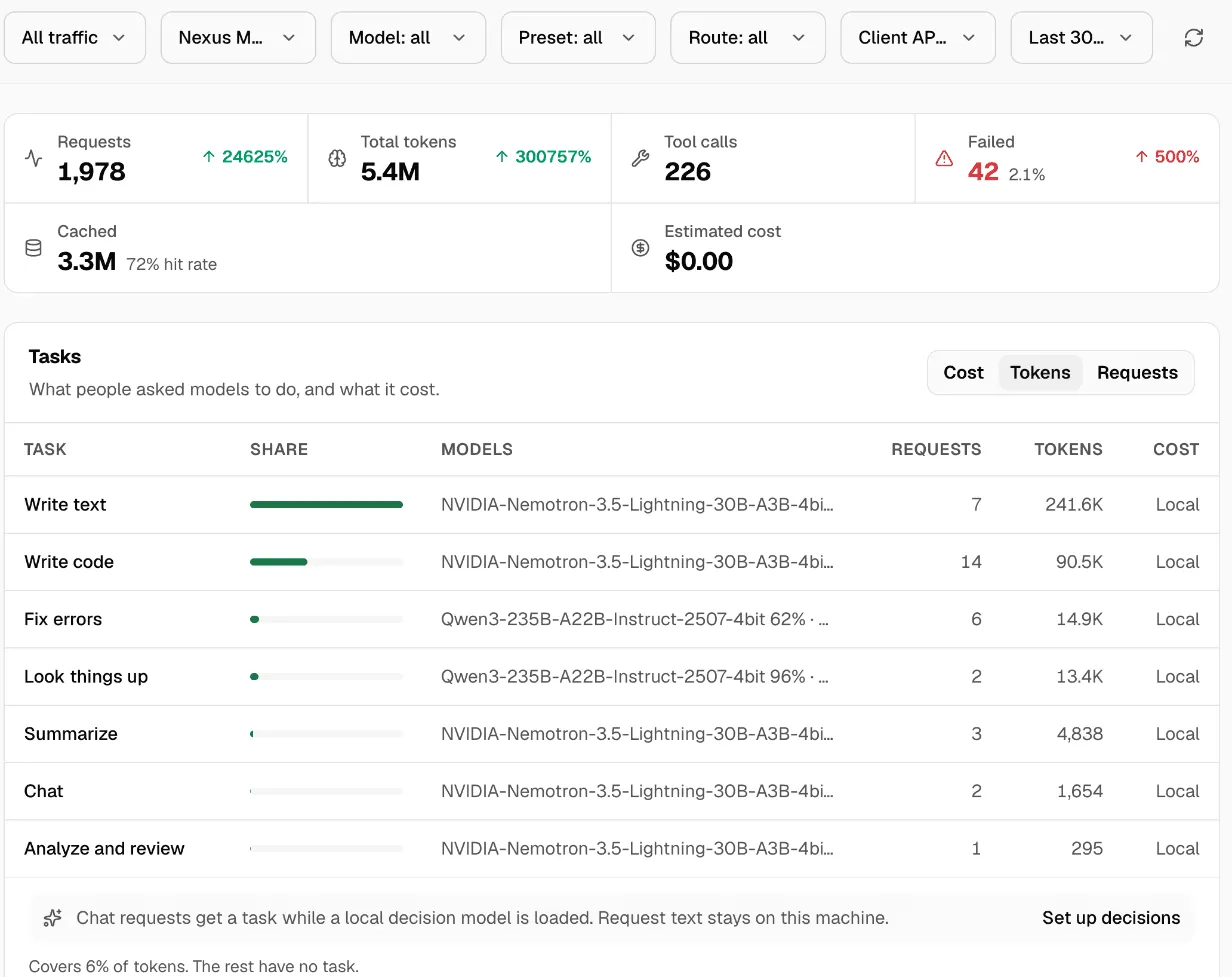
Local models show as Local: they cost nothing per request. Online costs are estimates from published prices. Models with no price show No price, not zero.
Apps paired through Connected apps
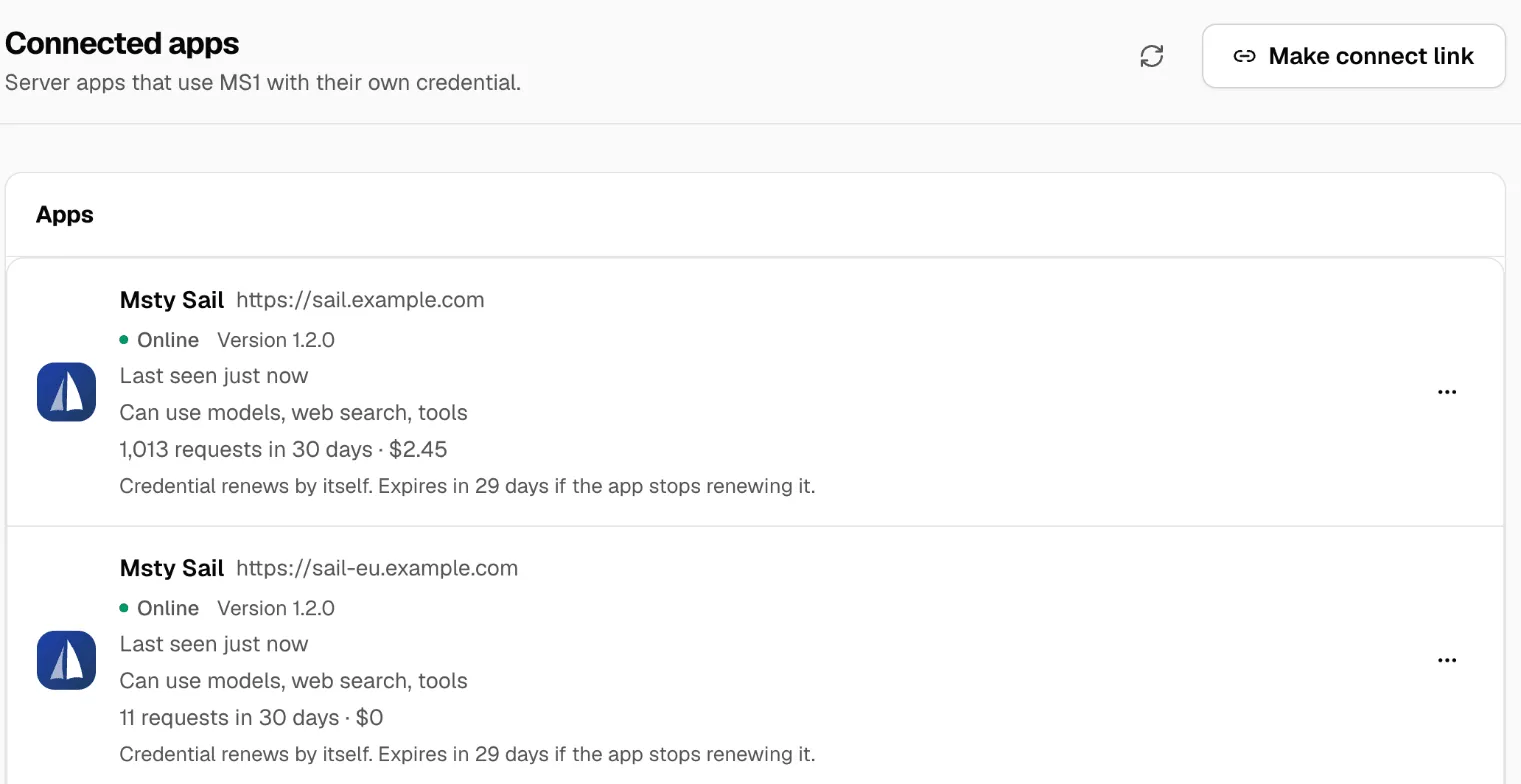
Section titled “Apps paired through Connected apps”Apps such as Msty Sail don’t need a key from you. Connected apps shows each one’s requests and cost over 30 days. Some apps also send an anonymous ID for each person, so their usage can be split per person without names or emails.
Check it worked
Section titled “Check it worked”Send one request with a key, then refresh Usage. The count for that key goes up by one.
To share the numbers, use Share or download a CSV. More in Usage.