
Use your Claude or ChatGPT plan in any app
You’ll get: the models from a subscription you already pay for, as models in Nexus. Any app that connects to Nexus can call them with a Nexus API key. The app never sees your sign-in.
You need:
- A Claude, ChatGPT (Codex) or Google Antigravity subscription.
- The Nexus CliProxy runtime, installed and running in Providers → Local runtimes. See Local runtimes.
- A Nexus API key. Make one in Connections.
- Open Providers → Subscriptions.
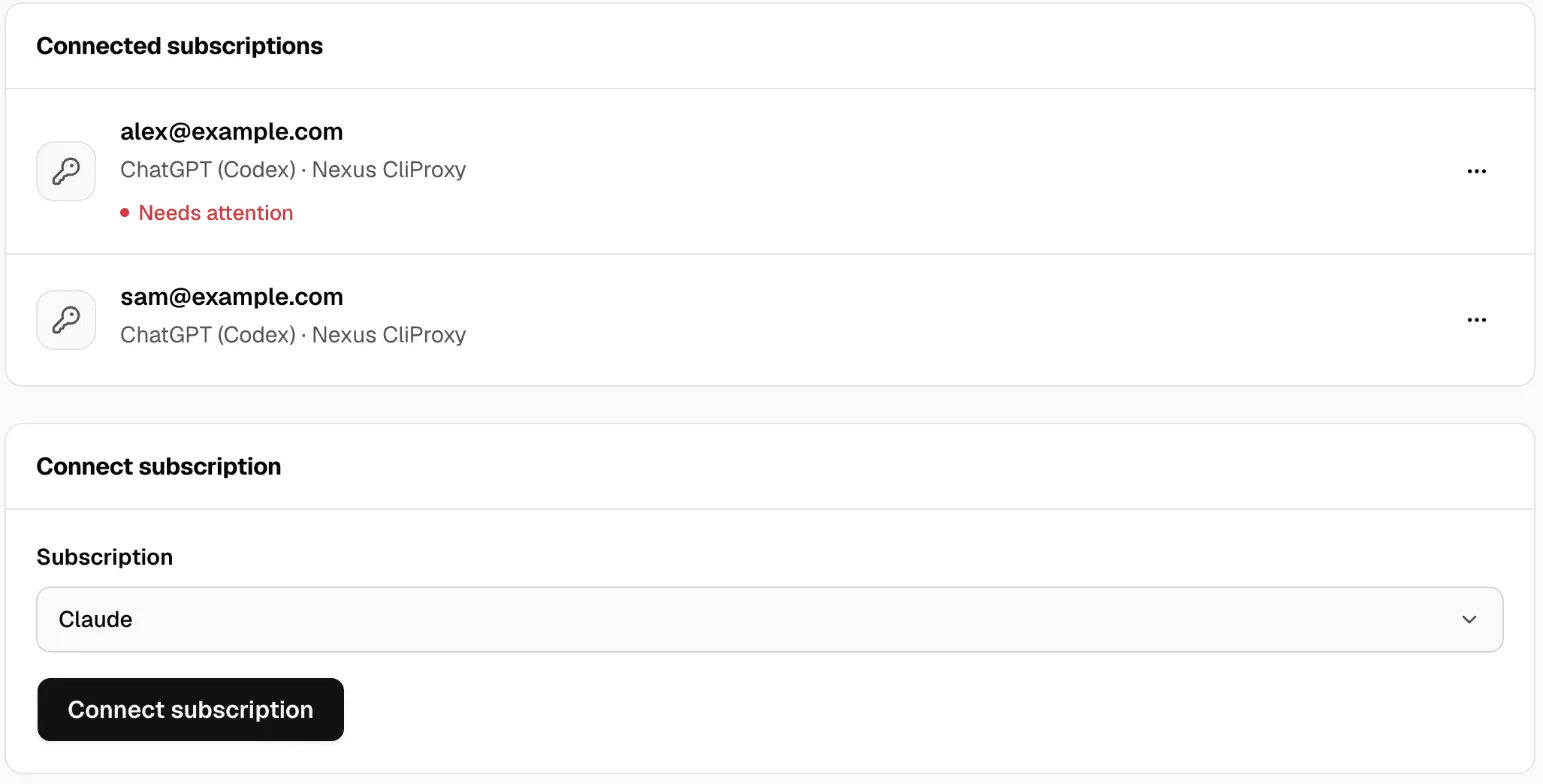
- Under Connect subscription, pick the Subscription: Claude, ChatGPT (Codex) or Google Antigravity.
- Click Connect subscription. A browser window opens at the service’s sign-in page.
- Sign in. The Nexus page updates on its own and says Subscription connected. Nexus then syncs the models.
- Open Models, find a model from the subscription, and click Copy model id.
If the browser runs on another computer, its last page doesn’t load. Copy that page’s full address, paste it into Address after sign-in, and click Finish sign-in.
If the tab says Install Nexus CliProxy to connect subscriptions or Start Nexus CliProxy to use subscriptions, click Open Local runtimes and do that first.
Call it from an app
Section titled “Call it from an app”Point the app at Nexus, as for any model:
curl http://127.0.0.1:3939/v1/chat/completions \ -H "Authorization: Bearer msty_nexus_key_here" \ -H "Content-Type: application/json" \ -d '{"model": "PASTE_MODEL_ID", "messages": [{"role": "user", "content": "Say hello in five words"}]}'Put your API key in place of msty_nexus_key_here, and the model id you copied in place of PASTE_MODEL_ID.
Check it worked
Section titled “Check it worked”- Run the command above. You get a reply.
- In Activity → Live stream, the request shows the subscription’s model.
Good to know
Section titled “Good to know”- Paused until on a subscription means it hit its plan’s limit. Nexus tries again after that time. To see limits coming, use Gauge.
- Needs attention means something is wrong with the subscription, often an expired sign-in. Open its menu and click Re-authenticate.
- Disable stops the subscription’s models but keeps the sign-in. If something still uses those models, Nexus says where, so you can change it first.
To get an alert before a limit, see Know before you hit a subscription limit. More in Providers.