
Web Search
Pro
Web Search gives your apps, and the models behind your presets, one address to search the web and read pages. Nexus tries your search providers in order, so if one is down or out of credits, the next one answers. Apps never see the providers’ keys.
It comes with a free search engine that runs on your machine and needs no key. You can add paid providers on top.
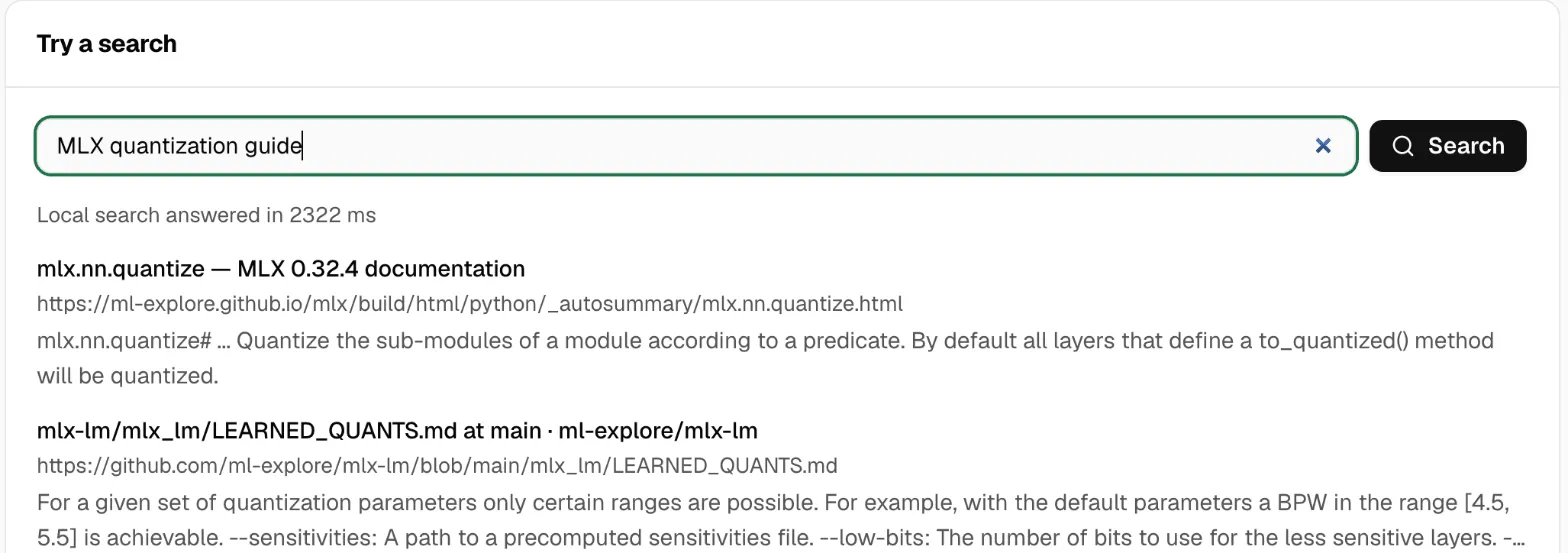
Set up search
Section titled “Set up search”- Open Web Search.
- The local engine is already in the Search order. It downloads on the first search, or click Download now.
- To add a provider, click Add provider, pick it, paste its API key, and click Save. Get a … key links to the provider’s sign-up page.
- Use the arrows to set the order. Nexus asks the top provider first.
- Type something under Try a search and click Search.
The result says which provider answered, and which ones it tried first.
A new provider goes above the local engine, so the paid one answers first and the free one is the fallback.
Providers
Section titled “Providers”| Provider | Key | Notes |
|---|---|---|
| Local engine (SearXNG) | No | Free. Runs on this machine. |
| Your own SearXNG | Optional | Enter its Server address. |
| Brave | Yes | |
| Tavily | Yes | Returns page text too. |
| Exa | Yes | Returns page text too. |
| Serper | Yes | Google results. |
| Perplexity | Yes | |
| Jina | Yes | Returns page text too. |
| Cloudflare | Yes | Needs the Cloudflare account ID. |
| Linkup | Yes | |
| Firecrawl | Yes | Works with your own Firecrawl server too. |
Keys are saved in the machine’s secure store and never shown again. A key belongs to the address you entered it for, so if you change the address, enter the key again.
The local engine
Section titled “The local engine”The local engine needs no Docker, no Python install and no admin rights.
- It downloads the first time it’s needed: about 55 to 80 MB. That first search goes to the next provider while it downloads.
- It starts when a search needs it, which takes a few seconds, and stops after 30 minutes without searches. Starts when needed means it’s ready but stopped.
- Stop now stops it. Remove download deletes it.
You can turn it off, but not remove it from the list.
Add web search to a preset
Section titled “Add web search to a preset”A preset can let its model search the web. Any app that calls the preset then gets answers with current facts, with no change to the app.
- Open Presets, and create or edit a chat preset.
- Turn on Search the web.
- Set Searches per answer, from 1 to 10. The default is 3. Page reads count too.
- Choose whether to Add a Sources list to answers.
- Save, then try the preset in Chat Lab.
The model must be able to call tools. Nexus gives it a search tool and a page-reading tool, runs them when the model asks, and sends the app one finished answer. The app never sees the tool calls.
If the preset also removes personal information, the model searches with the cleaned request. Sensitive values never go into a search.
If Web Search stops being available, the preset keeps working, without search.
Use it from an app
Section titled “Use it from an app”Apps call these addresses with a Nexus key. Copy address on the page copies the right one.
POST /v1/web/searchPOST /v1/web/fetchPOST /v1/web/imageA search needs a query. You can also set:
limit: 1 to 20 results. The default is 10.provider: ask one provider only.- Domains to include or leave out, freshness, country, language and safe search.
content: "markdown": return each result’s page as Markdown.
curl http://127.0.0.1:3939/v1/web/search \ -H "Authorization: Bearer $NEXUS_TOKEN" \ -H "Content-Type: application/json" \ -d '{"query": "go 1.27 release notes", "limit": 5}'/v1/web/fetch reads one page and returns it as Markdown. /v1/web/image returns a picture from a page, so your app can show it without the person’s browser contacting that site.
Nexus reuses an answer for the same search for 15 minutes.
MCP apps get the same search as the web.search and web.fetch tools, through Tools Gateway. The key’s tool rules apply.
Privacy and safety
Section titled “Privacy and safety”- Page reading refuses private and local addresses, such as
127.0.0.1or192.168.x.x, so an app or model can’t use Nexus to reach machines on your network. - Nexus records the provider, the time taken, the number of results and whether it worked. It doesn’t store the search, the page or the results.
- Online providers see your searches. Use the local engine first if that matters.
If you leave Pro
Section titled “If you leave Pro”Searching stops. Your saved providers stay, so you can remove them, and you can still stop or remove the local engine. Presets with web search keep answering, without search.
If something goes wrong
Section titled “If something goes wrong”| What you see | What to do |
|---|---|
| Needs attention on a provider | The provider refused the key, is out of credits, or didn’t answer. Check the key. |
| No provider could answer | Check the keys, and that this machine is online. |
| The local engine says Could not start | Click Try again. If it keeps failing, Remove download and download it again. |
| The first search is slow | The local engine is downloading. Later searches start it in a few seconds. |
| A preset doesn’t search | Check the model can call tools, and Search the web is on. |
| The page is missing | Pick a Mac machine. The page shows only for macOS. |