
Cap monthly spend on online models
Pro
You’ll get: a route that uses online models while you’re under budget, then moves requests to a local model for the rest of the month. Local models cost nothing.
You need:
- A Smart Route with at least one online model.
- A local model for when you’re over budget.
- Usage tracking on (it’s on by default). Without it, spend isn’t counted and spend rules never run.
- Open Smart Routes → Routes and click Edit on your route.
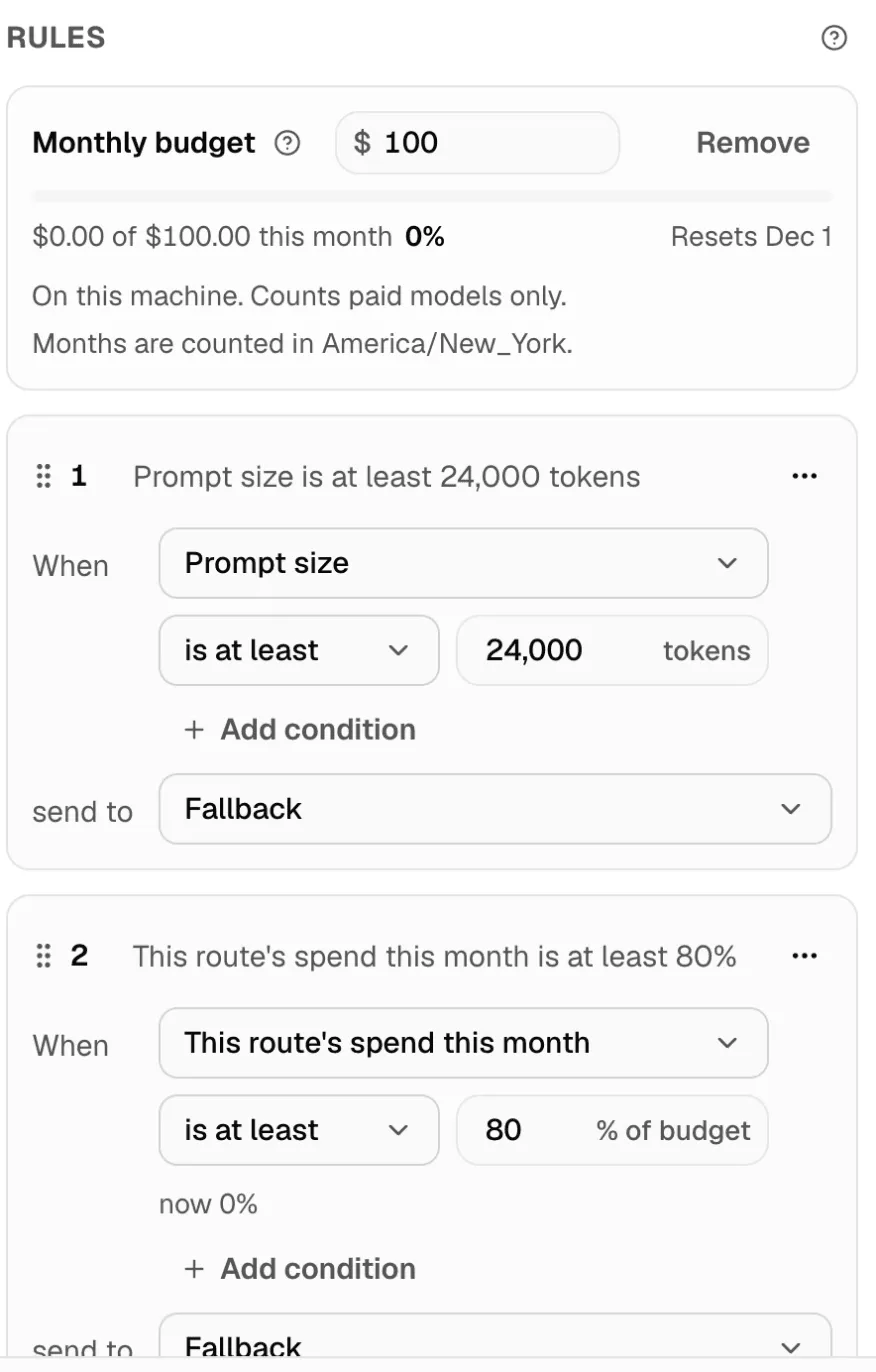
- Under Rules, click Over budget to a local model. Nexus adds:
- a Monthly budget of $100, if the route has none yet;
- a rule: This route’s spend this month is at least 80%, send to a local model.
- Click Set a budget (or the amount) to change the Budget per month, in US dollars.
- Change 80% if you want to switch earlier or later.
- Check that send to names the local model you want.
- Click Save changes.
Good to know
Section titled “Good to know”- Spend is counted on this machine, for paid models only.
- Months are counted in the route’s time zone. The budget shows when it Resets.
- Models with no published price aren’t counted. The budget lists them, so you know.
- A budget changes routing only through your rules. It doesn’t stop a provider from charging you.
Check it worked
Section titled “Check it worked”Under Check routing, set This route’s spend this month to 90 and try a request. Nexus shows that your rule sends it to the local model.
The budget line shows real spend, such as $12.40 of $100 this month. More in Budgets and guards.