
Machine overview
Machine overview is the first page for a machine. It answers: is this machine working, how do apps reach it, and how busy is it?
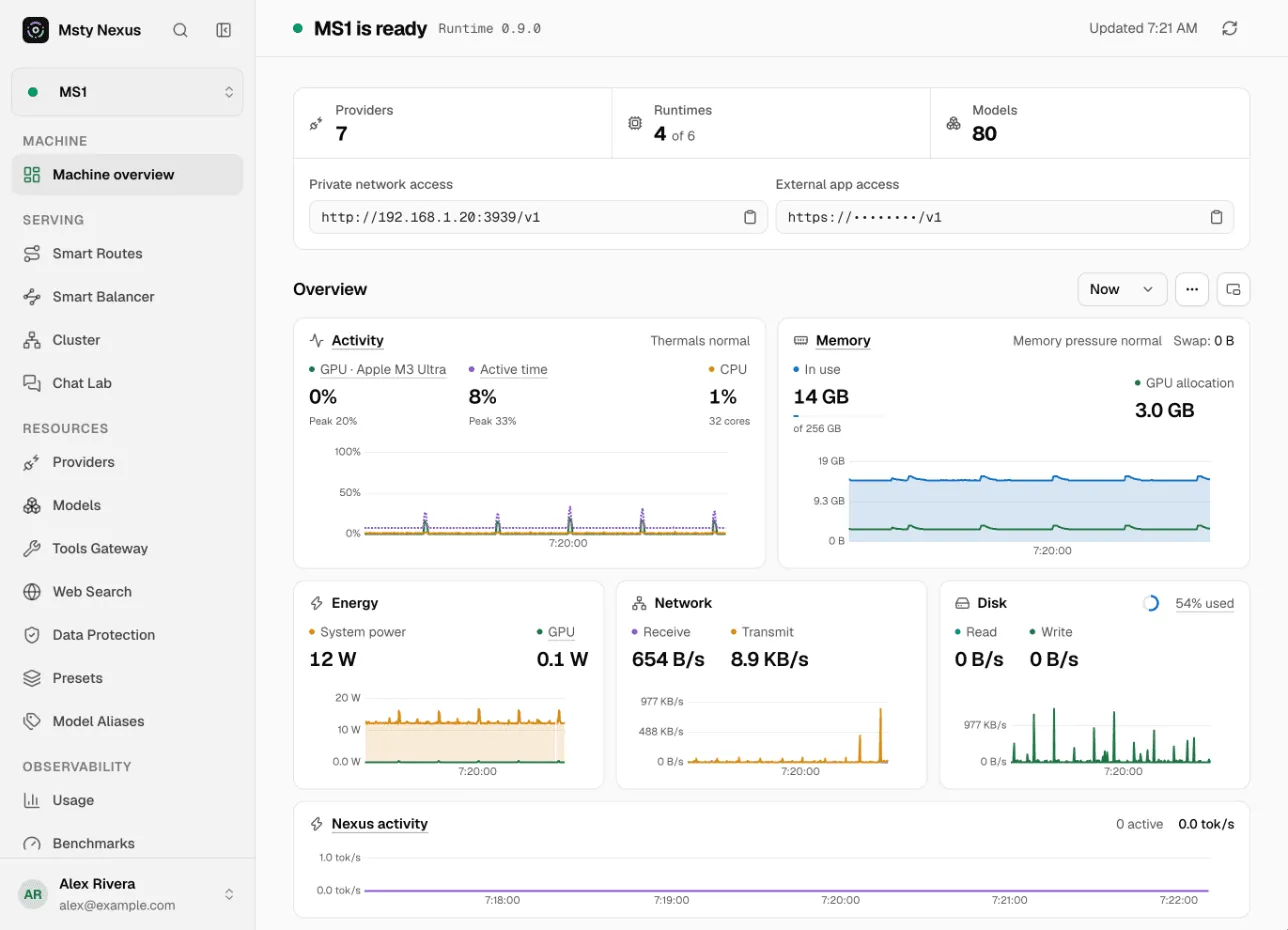
Health at a glance
Section titled “Health at a glance”The title tells you the state:
- machine is ready: the Runtime answers and nothing needs you.
- machine needs attention: something isn’t right, such as a stopped runtime. The page points to what.
- machine is offline: the Console can’t reach this machine’s Runtime.
Next to the title is the Runtime version. When an update is out, Update to version installs it.
Below it are three counts: Providers, Runtimes (running out of installed) and Models.
Addresses
Section titled “Addresses”Two boxes show how apps reach this machine, each with a copy button:
- Private network access: the address for devices on your network, such as
http://192.168.1.20:3939/v1. - External app access Pro: the hosted HTTPS address from Access from anywhere.
If a box says no address is on, turn it on in Connections, under Gateway access. Apps on the machine itself always use http://127.0.0.1:3939/v1.
Live system charts
Section titled “Live system charts”The Overview charts show what the whole machine is doing, from all apps, not just Nexus:
- Activity: GPU and CPU use. Thermals normal or a warning shows if the machine is too hot.
- Memory: memory in use, GPU allocation, swap and memory pressure. When pressure is high, models load slowly or fail to load.
- Energy: system and GPU power.
- Network and Disk: data in and out.
- Nexus activity: active and queued requests and generation speed, with model loads marked.
Pick a time range with the menu above the charts. Freeze holds the charts still while you look.
To watch it while you work elsewhere, use Pop out machine overview to open it in its own window.
Local inference
Section titled “Local inference”Local inference lists each local runtime and the models loaded in it:
- Recent output speed, in tokens per second.
- CPU, Memory and, on MLX, SSD cache use.
- Whether each model is Generating, Idle, or Waiting.
Runtimes that are stopped are hidden. Turn on Show inactive to see them.
If something looks wrong
Section titled “If something looks wrong”| What you see | What to do |
|---|---|
| Msty Nexus Runtime is unavailable | The Runtime isn’t answering. In the menu bar panel, click Reconnect or Restart Runtime. |
| Runtimes shows fewer running than installed | Start the runtime in Providers, on the Local runtimes tab. |
| Memory pressure is high | Unload models you don’t need, from the menu bar panel or Models. |
| No address boxes | Turn on access in Connections under Gateway access. |