
Benchmark two models before you pick
You’ll get: real numbers for two models on your machine: how long the first words take, and how fast replies come. Then you pick with facts, not guesses.
You need:
- Both models downloaded. See Models.
- Open Benchmarks → Quick Check.
- Under Model or route, pick the first model.
- Pick a Task. Everyday replies is a good start. Pick a longer task if your apps send long documents.
- Set Total replies, such as 8, and At once: 1 for one person, more for a busy app.
- Click Run. Keep the page open; leaving it stops the test.
- Repeat with the second model, the same task and the same numbers.
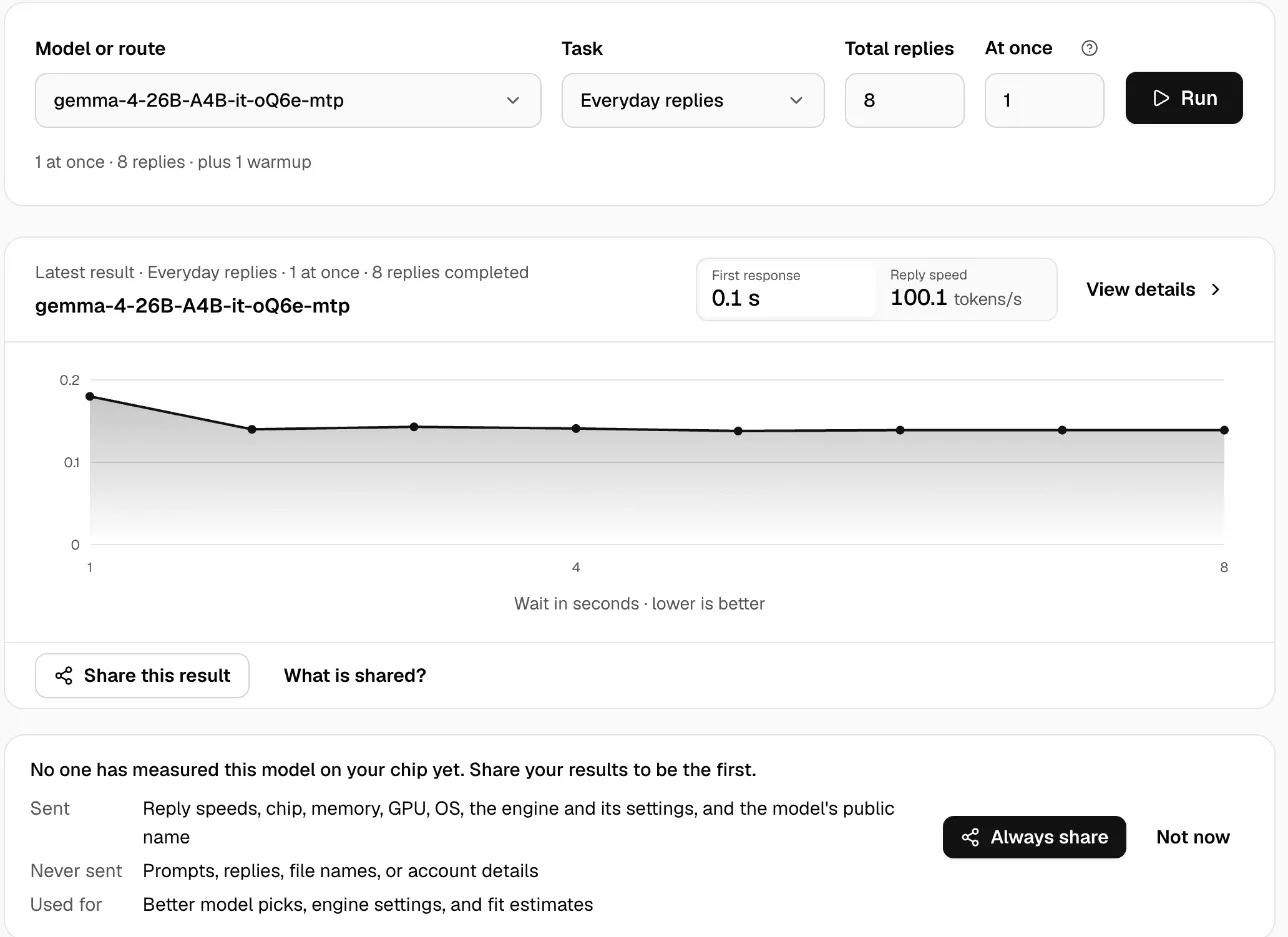
Read the results
Section titled “Read the results”- First response: how long until the reply starts. Lower is better.
- Reply speed: tokens per second while it writes. Higher is better.
- The graph shows the wait for each reply. A rising line means the model slows under load.
History keeps every run, so you can compare them side by side. Export CSV saves them.
For a fair test, run both models with nothing else busy on the machine, and plugged in if it’s a laptop.
Before you buy a Mac
Section titled “Before you buy a Mac”Compare Macs shows how a model runs on other Apple silicon Macs, from results Nexus users shared. Pick your models, the Prompt size and the Speed you need, and Nexus shows the smallest Mac that’s fast enough.
Check it worked
Section titled “Check it worked”Both runs show under History with the same task and settings. Use the faster one, or the smaller one if it’s fast enough.
More in Benchmarks.