
Use images in your apps
Pro
Your apps can make and change images through Nexus, with the same models and presets as Image Lab. The endpoints follow OpenAI’s Images API, so any OpenAI-compatible client works.
Local image models need a Pro or Enterprise plan. On Free, a request for a local model is refused. Requests for a cloud provider’s image models work on every plan.
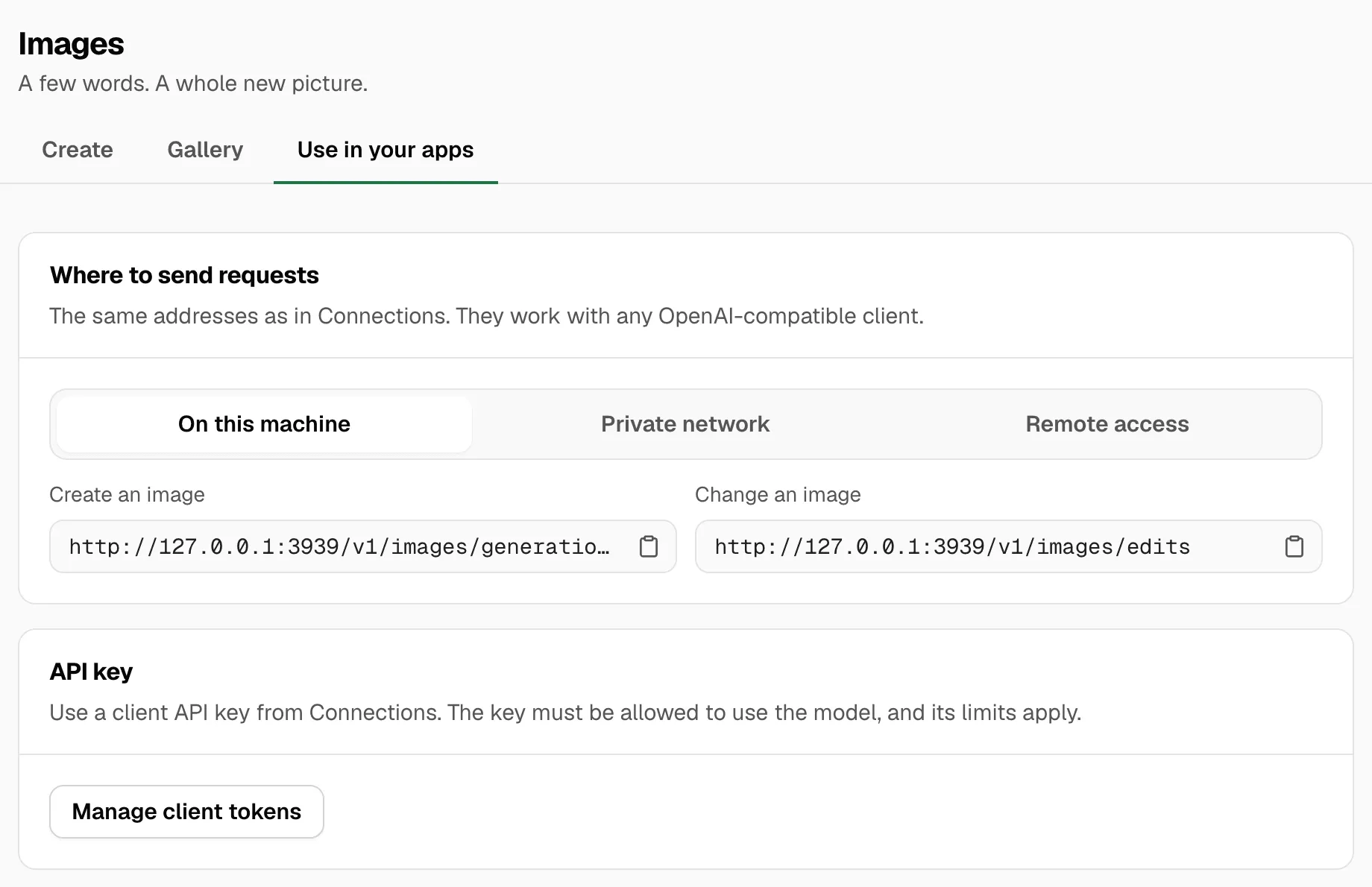
Open Image Lab → Use in your apps to get the addresses, the model name to send, and an example to copy.
What you need
Section titled “What you need”- The address. Pick where the app runs: On this machine, Private network or Remote access. These are the same addresses as in API keys. On the same Mac:
- Create an image:
http://127.0.0.1:3939/v1/images/generations - Change an image:
http://127.0.0.1:3939/v1/images/edits
- Create an image:
- A client API key from API keys. The key must be allowed to use the model, and its limits apply. Never use a provider’s own key.
- The model name. Under Example, pick the model or preset. Model name to send shows its name. Local models look like
images/flux-3-image-klein-q4. Presets look like@preset/product-shot-a04e3c.
| Model | Name to send | Changes images |
|---|---|---|
| FLUX.3 Image Klein | images/flux-3-image-klein-q4 |
Yes, up to 10 input images |
| ERNIE-Image Turbo | images/ernie-image-turbo-q4 |
No |
| Qwen-Image 2.1 Turbo | images/qwen-image-2.1-turbo-q4 |
Yes, up to 3 input images |
| FLUX.2 klein 9B | images/flux-2-klein-9b-q4 |
No |
Create an image
Section titled “Create an image”curl http://127.0.0.1:3939/v1/images/generations \ -H "Authorization: Bearer $NEXUS_API_KEY" \ -H "Content-Type: application/json" \ -d '{"model": "images/flux-3-image-klein-q4", "prompt": "A red bicycle against a white wall", "size": "1024x1024"}' \ | jq -r '.data[0].b64_json' | base64 --decode > image.pngimport base64, osfrom openai import OpenAI
client = OpenAI(base_url="http://127.0.0.1:3939/v1", api_key=os.environ["NEXUS_API_KEY"])result = client.images.generate( model="images/flux-3-image-klein-q4", prompt="A red bicycle against a white wall", size="1024x1024",)with open("image.png", "wb") as file: file.write(base64.b64decode(result.data[0].b64_json))Set NEXUS_API_KEY to your client API key first. Local models take a while: allow a few minutes before the request times out.
Change an image
Section titled “Change an image”Send the picture as a file, with the change as the prompt. The model must be one that changes images.
curl http://127.0.0.1:3939/v1/images/edits \ -H "Authorization: Bearer $NEXUS_API_KEY" \ -F model="images/flux-3-image-klein-q4" \ -F prompt="Make the bicycle blue" \ -F image=@input.png \ | jq -r '.data[0].b64_json' | base64 --decode > image.pngresult = client.images.edit( model="images/flux-3-image-klein-q4", image=open("input.png", "rb"), prompt="Make the bicycle blue",)A preset creates images. To change an image, send the model’s own name in the request.
To combine images, send more than one image file, up to the model’s limit. Files can be PNG, JPEG or WebP, up to 24 MB each. Masks aren’t supported: a request with a mask is refused.
Settings you can send
Section titled “Settings you can send”| Field | What it does |
|---|---|
size |
Width x height, such as 1024x1024. 256 to 2048 pixels per side, in multiples of 32. |
n |
How many images, 1 to 4. |
quality |
low, medium or high. On FLUX.3 Image Klein: 8, 12 or 16 steps. |
steps |
1 to 100. FLUX.3 Image Klein only. The other local models refuse it. |
seed |
A whole number for the same image again, or -1 for random. |
guidance_scale |
Prompt strength, 0 to 30. |
negative_prompt |
Things to avoid. Local models ignore it at default guidance or guidance_scale: 1; below 1, it can favor those things. Values above 1 can affect the result, but do not guarantee removal. |
output_format |
png or jpeg. |
response_format |
Local models return b64_json only. |
A field the model doesn’t support returns an error that names it. A preset’s settings are defaults: any field you send wins.
Fields like seed and negative_prompt aren’t in the OpenAI Python client’s arguments. Pass them in extra_body:
result = client.images.generate( model="images/flux-3-image-klein-q4", prompt="A red bicycle against a white wall", extra_body={"seed": 42, "negative_prompt": "text, logos"},)Good to know
Section titled “Good to know”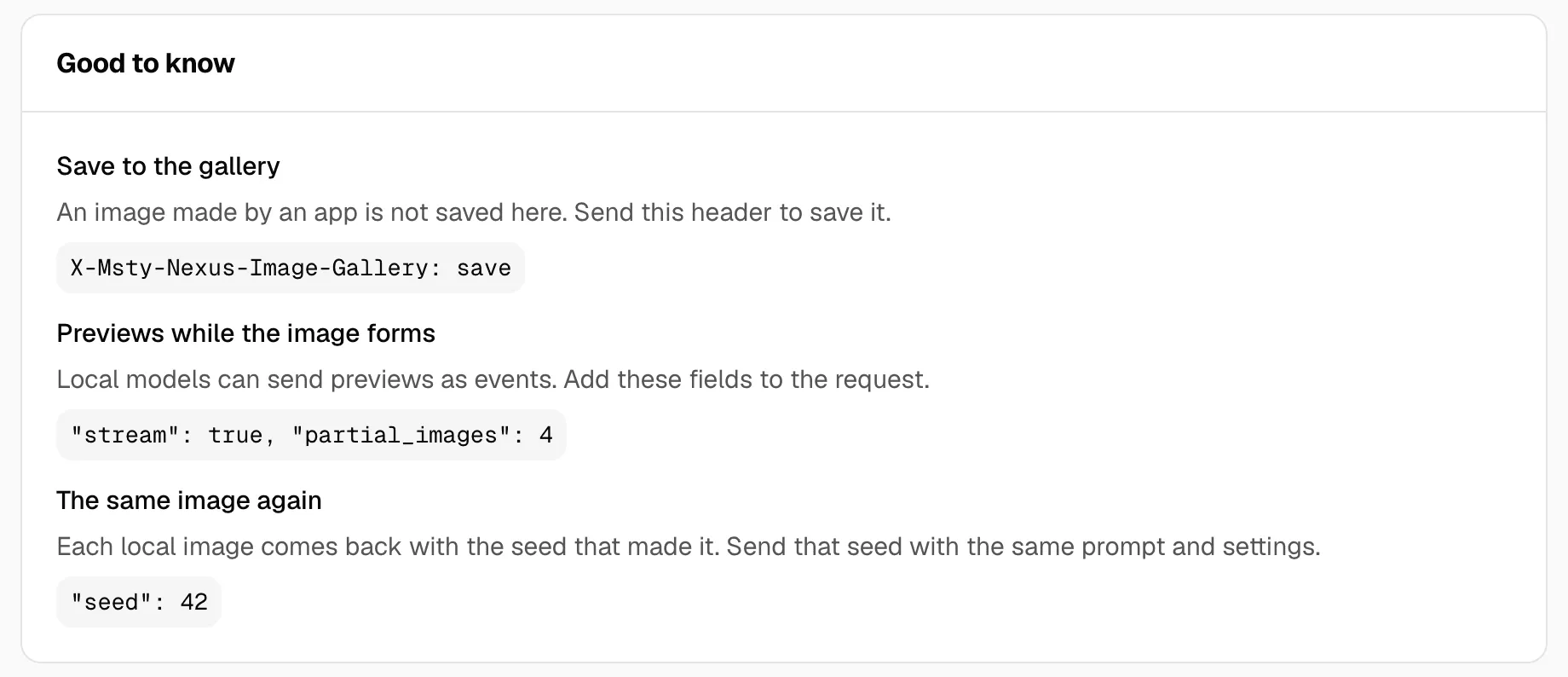
Save to the gallery
Section titled “Save to the gallery”An image made by an app is not saved in the Gallery. To save it, send this header:
X-Msty-Nexus-Image-Gallery: saveThe response then has a header X-Msty-Nexus-Image-Ids with the saved image’s ID. A streamed response ends with a msty_nexus.image_saved event. If saving fails, you still get the image.
Previews while the image forms
Section titled “Previews while the image forms”Local models can send previews as events while the image forms. Add "stream": true and "partial_images", the number of previews you want. Nexus spreads them over the steps. Each image_generation.partial_image event has a small b64_json preview plus step and steps. The last event, image_generation.completed, has the image. For a change, the events start with image_edit instead. See Show live previews in your own app.
The same image again
Section titled “The same image again”Each local image comes back with the seed and steps that made it, next to b64_json. Send that seed with the same prompt and settings to get the same image again. See Keep a look with a seed.
Errors
Section titled “Errors”Errors follow the gateway’s usual shape. See Gateway.
- Busy (429). A local model is making another image, and the request is for a different local model. The error code is
IMAGE_QUEUE_FULL, with aRetry-Afterheader. Wait and try again. - Plan (403). The error code is
CAPABILITY_NOT_ENTITLED. Local image models and the gallery need a Pro or Enterprise plan. See Plans. - Not allowed. The key can’t use that model. Give it access in API keys.
- Unsupported field. The model doesn’t take a field you sent, such as
stepson a fixed-step model, ormask.
If your app disconnects, Nexus stops the local image. A provider may keep working, and may still charge for the image.