
Keep a look with a seed and More like this
Pro
You’ll get: a way to repeat a local image and explore other takes on the same idea. Keep a seed to compare settings, or use More like this for a new starting point.
You need: a local image model in Image Lab. See Create your first image.
How a seed works
Section titled “How a seed works”Every image starts from random noise. The seed is the number that picks that noise. The same seed, prompt, model and settings give the same image. A new seed gives a new image. Image Lab shows the seed of every local image under How it was made.
Get variations
Section titled “Get variations”- Make an image you half like.
- Click More like this. Image Lab makes a new image with the same prompt and settings, and a new seed.
- Repeat until one is close. Each lands in Your images.
Keep the one you like and change one thing
Section titled “Keep the one you like and change one thing”- Click the image you like under Your images.
- Click Reuse prompt and settings. The prompt and the settings fill in, with that image’s Seed under Advanced.
- Change one thing. For example, add
, golden hourto the prompt, or set Quality to High. - Click Generate.
The seed keeps the same starting noise. Changing the prompt or settings can still change the composition and other details. Use image comparison to see both results and their recorded settings.
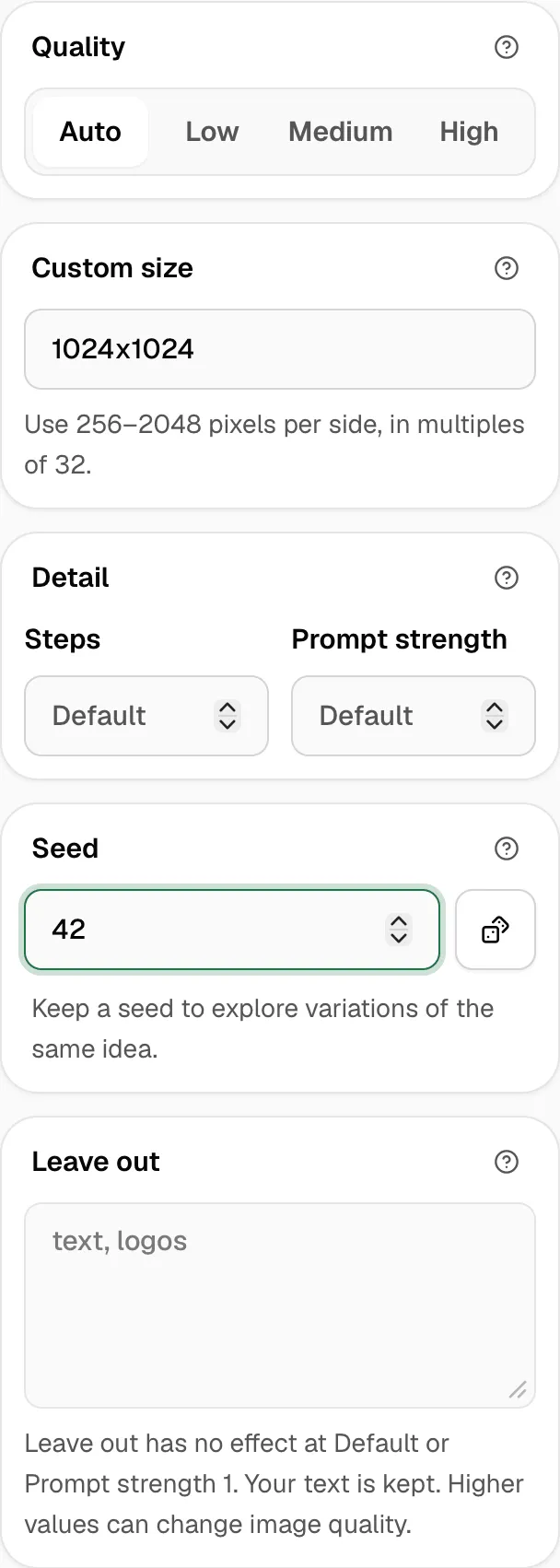
To go back to new images each time, clear Seed, or click Shuffle for a random one.
From an app
Section titled “From an app”Each local image comes back with its seed next to b64_json. Send it back to get the same image:
curl http://127.0.0.1:3939/v1/images/generations \ -H "Authorization: Bearer $NEXUS_API_KEY" \ -H "Content-Type: application/json" \ -d '{"model": "images/flux-3-image-klein-q4", "prompt": "A chunky retro sneaker in cream suede with tangerine laces", "size": "512x512", "seed": 260286091}' \ | jq -r '.data[0].seed'Check it worked
Section titled “Check it worked”Make the same prompt twice with the same seed and settings. How it was made shows the same Seed, and the two images match.
Good to know
Section titled “Good to know”- A seed only repeats on the same model. The same seed on another model gives another image.
- A seed saved in a preset is used for every image from that preset.